Kapwing AI 视频编辑器
Kapwing 是一款行业领先的AI 视频生成器,它重新定义了创作者和团队制作内容的方式,无需像桌面软件那样经历陡峭的学习曲线。它通过提供基于浏览器的协作画布而脱颖而出,AI 在其中处理繁重的工作,例如添加字幕和删除静音。它专为快速发展的营销团队而打造,将复杂的制作过程变成了简单的“拖放”操作。立即试用 Kapwing!
Key Features of Kapwing AI
Smart Cut (Silence Remover) : Automatically identifies and deletes awkward pauses for a snappier edit.AI-Powered Auto-Subtitles : Generate 99% accurate captions and translate them into 70+ languages.Collaborative Cloud Studio : Edit in real-time with your team via a single URL, just like a Google Doc.
Smart Cut (Silence Remover)
Kapwing’s Smart Cut uses AI to scan your audio track and instantly remove all silent gaps. This isn’t a simple trim; it’s a surgical tool that understands natural speech rhythms, allowing you to turn a 10-minute raw recording into a high-energy, professional clip in one click.
AI-Powered Auto-Subtitles
Kapwing AI subtitle engine transcribes audio with incredible precision and allows you to apply ‘viral-style’ presets instantly. You can even translate your content for a global audience, ensuring your message transcends language barriers without the cost of a professional translator.
| Reference Prompt | Output Video |
|
Generate and translate captions into English with a modern sans-serif font. |
Collaborative Cloud Studio
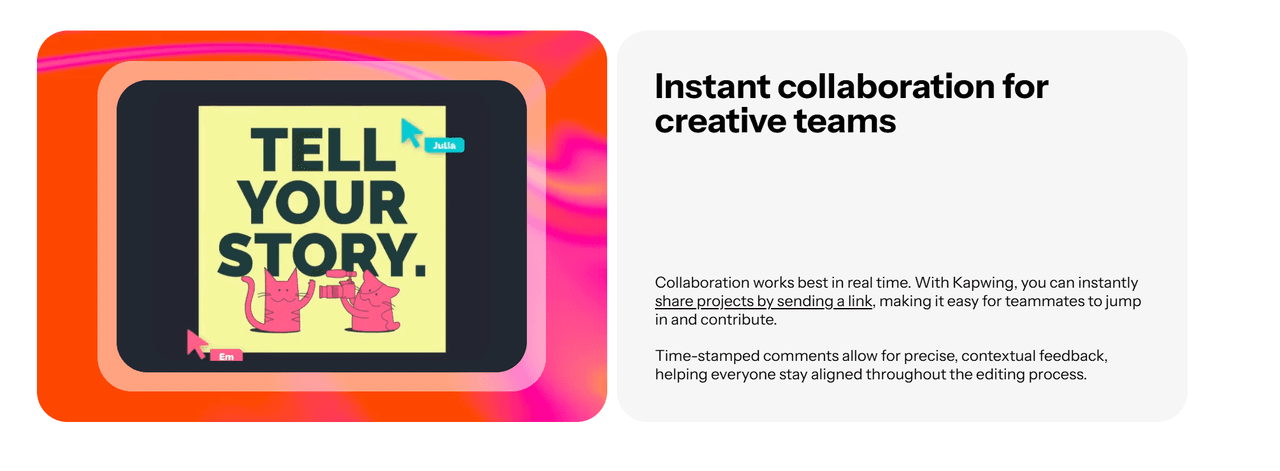
One of the most ‘insightful’ advantages of Kapwing is its ‘Multi-User’ synchronization. Unlike traditional editors where you have to export and email massive files, this AI Video Editor allows your entire team to jump into the same timeline via a single URL. You can see edits happen in real-time, leave comments on specific frames, and finalize a project together, drastically reducing the friction in your creative pipeline.
Why Kapwing Redefines Professional Editing
The reason Kapwing is a staple in modern marketing is simple: it doesn't just 'make' videos—it fixes the broken, time-consuming workflows that usually hold creators back.
The Multi-Track ‘Freedom’ vs. Fixed AI Output
Most AI video generator tools are ‘black boxes’ that give you a single file you can’t change. Kapwing is different because it uses a ‘Non-Linear’ timeline. Every AI-generated subtitle, stock clip, and audio enhancement exists as a separate layer. This means if you don’t like a specific transition or font, you can just click and change it. It’s the precision of professional software like Premiere Pro but optimized for speed and the browser.
AI Clean Audio & Vocal Enhancement
Poor audio is the number one reason viewers skip a video. Kapwing uses neural networks to isolate the human voice and remove background noise, hums, and traffic sounds. Unlike basic filters that make you sound ‘robotic’, this AI reconstructs the vocal frequencies to make a phone recording sound like it was captured in a professional studio. It’s an essential tool for creators recording in ‘less-than-ideal’ environments.
Browser-Based ‘Zero-Latency’ Pipeline
The real kicker is that Kapwing requires zero downloads. Traditional editing software crashes on basic laptops, but because Kapwing is ‘Cloud-Native’, all the heavy rendering happens on their servers. You can start an edit on your office desktop and finish it on your laptop at a coffee shop. This frictionless workflow is why remote marketing teams prefer it over heavy, locally-installed software.
Professional Scenarios for Kapwing AI
Rapid Global Social Media Campaigns
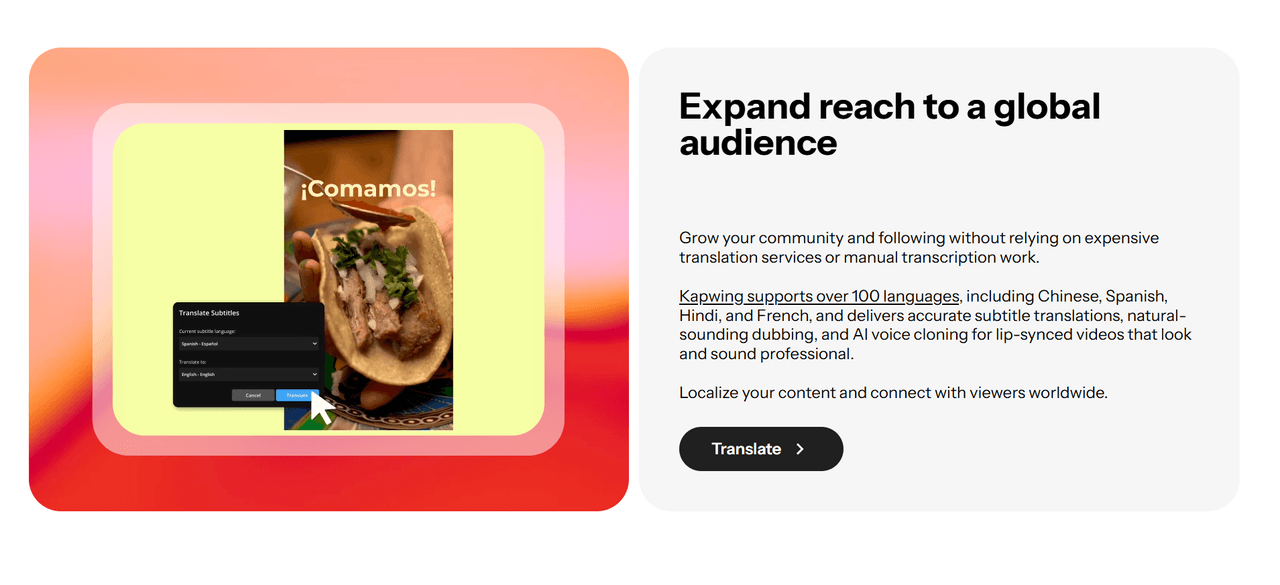
Marketing teams can take a single English video and use AI Auto-Subtitles to localize it for 70+ regions instantly. By collaborating in the cloud, local managers can tweak translations in real-time, ensuring that the brand message is culturally accurate and technically optimized for every global market simultaneously.
Efficient Podcast and Interview Polishing
Podcasters use the Smart Cut feature to instantly purge hours of raw footage of "ums," "ahs," and dead silence. This reduces the editing time of a 60-minute interview by up to 80%. When combined with Clean Audio, the final result is a snappy, high-fidelity production that is ready for YouTube and Spotify in a fraction of the usual time.
Virtual Classroom and Educational Content
Educators and L&D professionals can transform long lectures into Digestible Micro-Learning Modules. By using the text-based video editor, they can edit video as easily as a Word document—deleting a sentence in the transcript automatically deletes the corresponding video segment, making professional editing accessible to non-editors.
Kapwing vs CapCut vs InVideo | Strategic Comparison
| Core Capability | Kapwing AI | CapCut | InVideo |
| Primary Logic | Collaborative Canvas | Mobile-First Trend Tool | Template-to-Video Engine |
| Editing Style | Timeline-Based Professional | Template and Effect Heavy | Script-Driven Automation |
| Team Synergy | Real-Time Live Collaboration | Project Sharing Only | Cloud Storage focused |
| Audio Intelligence | Studio-Grade Vocal Reconstruction | Basic Noise Reduction | Voiceover focused |
| Workload Edge | Silence Removal & Smart Cut | Viral Filters & Music Sync | Stock Footage Aggregation |
| Best For | Marketing Teams & Podcasters | Individual Creators & TikTokers | Small Businesses & Ads |
Kapwing AI 的主要功能
智能剪辑(静音移除) :自动识别并删除尴尬的停顿,让剪辑更流畅。
AI 自动生成字幕:生成 99% 准确的字幕,并将其翻译成 70 多种语言。
协作云工作室:通过单个 URL 与您的团队实时编辑,就像使用Google文档一样。
智能剪辑(静音移除)
Kapwing 的智能剪辑功能使用人工智能扫描您的音频轨道,并立即删除所有静音片段。这不仅仅是简单的修剪;它是一个能够理解自然语音节奏的外科手术工具,让您只需单击一下即可将 10 分钟的原始录音变成一个充满活力、专业的片段。
AI 自动生成字幕
Kapwing AI 字幕引擎能以惊人的精度转录音频,并允许您立即应用“病毒式”预设。您甚至可以为全球受众翻译您的内容,确保您的信息超越语言障碍,而无需聘请专业翻译人员。
使用现代无衬线字体生成字幕并将其翻译成英文。
协作云工作室
Kapwing 最“有见地”的优势之一是其“多用户”同步功能。与传统的编辑器需要导出和发送大量文件不同,这款 AI 视频编辑器允许您的整个团队通过单个 URL 进入同一时间线。您可以实时查看编辑过程,在特定帧上留下评论,并共同完成项目,从而大大减少了创意流程中的摩擦。
为什么 Kapwing 重新定义了专业编辑
Kapwing之所以成为现代营销的必备工具,原因很简单:它不仅能“制作”视频,还能修复那些通常会阻碍创作者的、繁琐且耗时的工作流程。
大多数AI视频生成工具都是“黑盒子”,只能给你一个无法更改的单一文件。Kapwing则不同,它使用“非线性”时间线。每个AI生成的字幕、素材片段和音频增强都作为单独的图层存在。这意味着如果你不喜欢某个特定的转场或字体,只需点击即可更改。它拥有Premiere Pro等专业软件的精确度,但经过优化,速度更快,并且可在浏览器中运行。
糟糕的音频是观众跳过视频的首要原因。Kapwing 使用神经网络来分离人声,并消除背景噪音、嗡嗡声和交通噪音。与让您听起来像“机器人”的基本滤镜不同,此 AI 会重建声波频率,使手机录音听起来像是在专业录音棚中录制的一样。对于在“不理想”环境下录制的创作者来说,这是一个必不可少的工具。
真正厉害的是,Kapwing 无需下载。传统的编辑软件在基本笔记本电脑上会崩溃,但由于 Kapwing 是“云原生”的,所有繁重的渲染都在其服务器上进行。您可以在办公室的台式机上开始编辑,然后在咖啡店的笔记本电脑上完成。这种无缝的工作流程是远程营销团队更喜欢它的原因,而不是笨重的本地安装软件。
Kapwing AI 的专业场景
营销团队可以利用AI自动字幕功能,将一个英文视频即时本地化到70多个地区。通过云端协作,本地经理可以实时调整翻译,确保品牌信息在文化上准确无误,并在技术上同时针对每个全球市场进行优化。
播客可以使用智能剪辑功能,立即清除数小时原始素材中的“嗯”、“啊”和无声片段。这可将 60 分钟采访的剪辑时间缩短多达 80%。结合“音频清理”功能,最终成果将是流畅、高保真的作品,可在比平时更短的时间内发布到YouTube和 Spotify。
教育工作者和学习与发展专业人士可以将冗长的讲座转化为易于理解的微学习模块。通过使用基于文本的视频编辑器,他们可以像编辑 Word 文档一样轻松地编辑视频——删除文字记录中的一个句子会自动删除相应的视频片段,使非编辑人员也能进行专业编辑。

如何在TikTV AI上使用 Kapwing AI 视频编辑器
输入您的内容
将您的原始素材输入或将脚本粘贴到TikTV AI仪表板中。
编辑
使用文本提示来优化并获得完美的视觉输出。
导出热门视频
满意后,点击“箭头”图标即可立即下载视频。
在TikTV AI上发现其他强大的 AI 视频生成器
常见问题解答
什么是 Kapwing?
Kapwing 是一款专业的浏览器端 AI 视频编辑器,专为创作者和企业设计。它将传统的时间轴编辑与高级 AI 工具(如自动转录、静音移除和智能重构)相结合,以加快视频制作周期。
我能免费使用 Kapwing 吗?
是的!您可以通过我们的免费试用体验TikTV AI上的 Kapwing。只需注册一个帐户,即可使用免费的有限积分开始您的第一个项目。对于大批量制作和高级功能,您可以升级到付费计划。
Kapwing 比 Premiere Pro 更适合社交媒体吗?
对于大多数社交媒体营销人员来说,是的。Kapwing 是专为网络速度而构建的。它能自动完成 Premiere 中需要数小时才能完成的任务,例如为 TikTok 添加“安全区”字幕或从采访中删除静音片段。
Kapwing AI 如何处理背景噪音?
Kapwing 的“清理音频”工具使用深度学习来识别和分离环境噪音中的语音。它在去除空调、交通或风等持续性声音方面非常有效,且不会扭曲说话者的声音。
Kapwing 支持远程团队协作吗?
当然。它是少数支持实时协作编辑的AI编辑器之一。多个团队成员可以同时在同一时间轴上工作,使其成为视频编辑领域的“Google Docs”。