
Kapwing AI Video Editor
Kapwing is an industry-leading AI video generator that has redefined how creators and teams produce content without the steep learning curve of desktop software. It stands out by offering a browser-based, collaborative canvas where AI handles grunt work—like subtitling and silence removal. Built for fast-moving marketing teams, it turns complex production into a simple, ‘drag-and-drop’ reality. Try using Kapwing now!
Key Features of Kapwing AI
Smart Cut (Silence Remover) : Automatically identifies and deletes awkward pauses for a snappier edit.AI-Powered Auto-Subtitles : Generate 99% accurate captions and translate them into 70+ languages.Collaborative Cloud Studio : Edit in real-time with your team via a single URL, just like a Google Doc.
Smart Cut (Silence Remover)
Kapwing’s Smart Cut uses AI to scan your audio track and instantly remove all silent gaps. This isn’t a simple trim; it’s a surgical tool that understands natural speech rhythms, allowing you to turn a 10-minute raw recording into a high-energy, professional clip in one click.
AI-Powered Auto-Subtitles
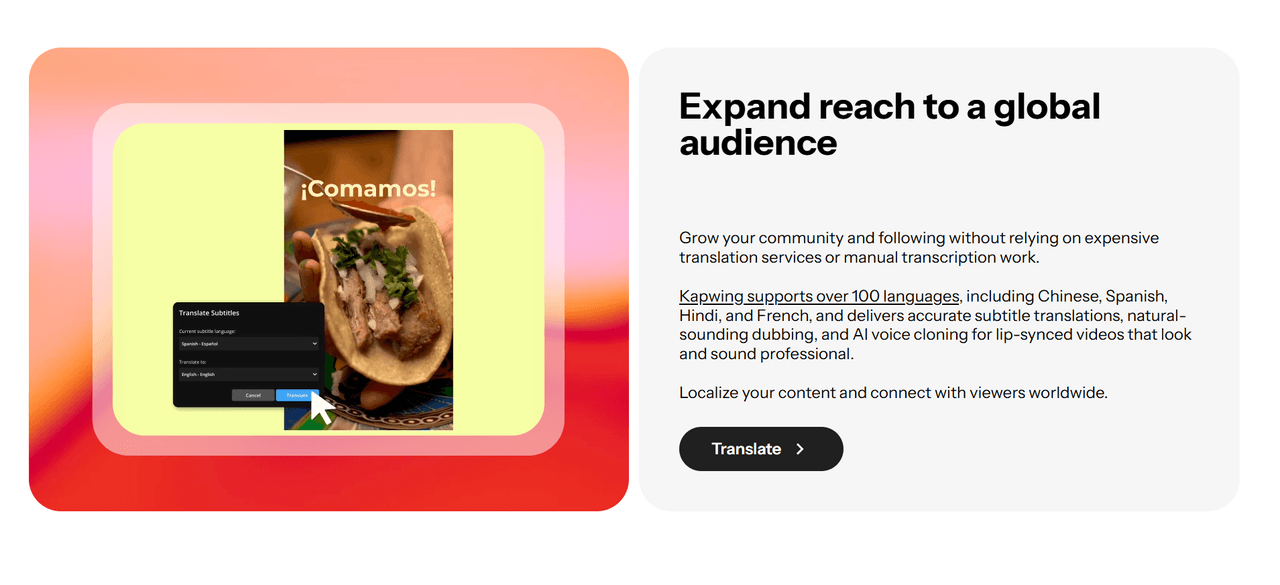
Kapwing AI subtitle engine transcribes audio with incredible precision and allows you to apply ‘viral-style’ presets instantly. You can even translate your content for a global audience, ensuring your message transcends language barriers without the cost of a professional translator.
| Reference Prompt | Output Video |
|
Generate and translate captions into English with a modern sans-serif font. |
Collaborative Cloud Studio
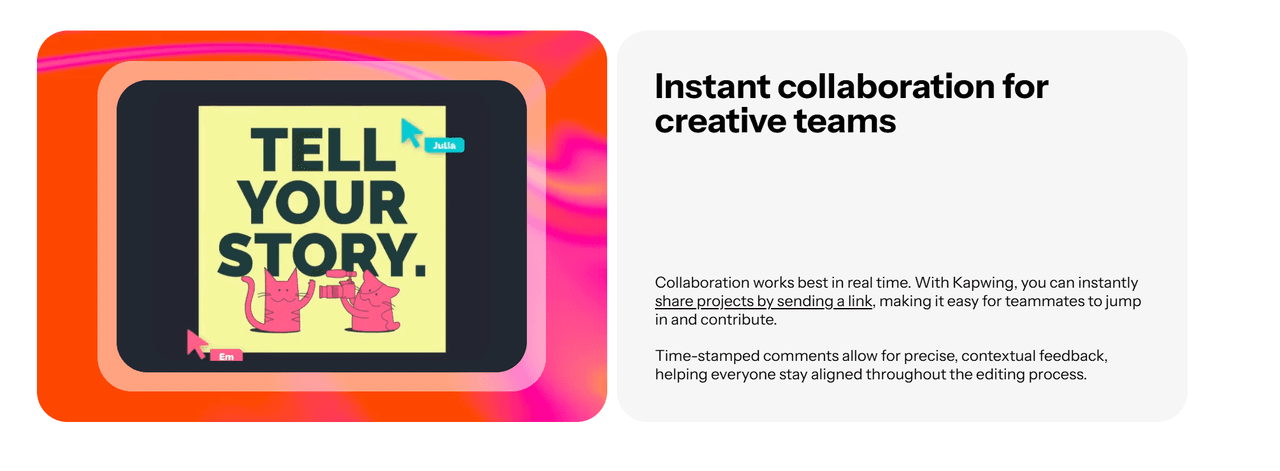
One of the most ‘insightful’ advantages of Kapwing is its ‘Multi-User’ synchronization. Unlike traditional editors where you have to export and email massive files, this AI Video Editor allows your entire team to jump into the same timeline via a single URL. You can see edits happen in real-time, leave comments on specific frames, and finalize a project together, drastically reducing the friction in your creative pipeline.
Why Kapwing Redefines Professional Editing
The reason Kapwing is a staple in modern marketing is simple: it doesn't just 'make' videos—it fixes the broken, time-consuming workflows that usually hold creators back.
The Multi-Track ‘Freedom’ vs. Fixed AI Output
Most AI video generator tools are ‘black boxes’ that give you a single file you can’t change. Kapwing is different because it uses a ‘Non-Linear’ timeline. Every AI-generated subtitle, stock clip, and audio enhancement exists as a separate layer. This means if you don’t like a specific transition or font, you can just click and change it. It’s the precision of professional software like Premiere Pro but optimized for speed and the browser.
AI Clean Audio & Vocal Enhancement
Poor audio is the number one reason viewers skip a video. Kapwing uses neural networks to isolate the human voice and remove background noise, hums, and traffic sounds. Unlike basic filters that make you sound ‘robotic’, this AI reconstructs the vocal frequencies to make a phone recording sound like it was captured in a professional studio. It’s an essential tool for creators recording in ‘less-than-ideal’ environments.
Browser-Based ‘Zero-Latency’ Pipeline
The real kicker is that Kapwing requires zero downloads. Traditional editing software crashes on basic laptops, but because Kapwing is ‘Cloud-Native’, all the heavy rendering happens on their servers. You can start an edit on your office desktop and finish it on your laptop at a coffee shop. This frictionless workflow is why remote marketing teams prefer it over heavy, locally-installed software.
Professional Scenarios for Kapwing AI
Rapid Global Social Media Campaigns
Marketing teams can take a single English video and use AI Auto-Subtitles to localize it for 70+ regions instantly. By collaborating in the cloud, local managers can tweak translations in real-time, ensuring that the brand message is culturally accurate and technically optimized for every global market simultaneously.
Efficient Podcast and Interview Polishing
Podcasters use the Smart Cut feature to instantly purge hours of raw footage of "ums," "ahs," and dead silence. This reduces the editing time of a 60-minute interview by up to 80%. When combined with Clean Audio, the final result is a snappy, high-fidelity production that is ready for YouTube and Spotify in a fraction of the usual time.
Virtual Classroom and Educational Content
Educators and L&D professionals can transform long lectures into Digestible Micro-Learning Modules. By using the text-based video editor, they can edit video as easily as a Word document—deleting a sentence in the transcript automatically deletes the corresponding video segment, making professional editing accessible to non-editors.
Kapwing vs CapCut vs InVideo | Strategic Comparison
| Core Capability | Kapwing AI | CapCut | InVideo |
| Primary Logic | Collaborative Canvas | Mobile-First Trend Tool | Template-to-Video Engine |
| Editing Style | Timeline-Based Professional | Template and Effect Heavy | Script-Driven Automation |
| Team Synergy | Real-Time Live Collaboration | Project Sharing Only | Cloud Storage focused |
| Audio Intelligence | Studio-Grade Vocal Reconstruction | Basic Noise Reduction | Voiceover focused |
| Workload Edge | Silence Removal & Smart Cut | Viral Filters & Music Sync | Stock Footage Aggregation |
| Best For | Marketing Teams & Podcasters | Individual Creators & TikTokers | Small Businesses & Ads |
FAQs
What is Kapwing?
Kapwing is a professional, browser-based AI vdeo editor designed for creators and businesses. It combines traditional timeline editing with advanced AI tools like automatic transcription, silence removal, and smart reframing to speed up the video production cycle.
Can I use Kapwing for free?
Yes! You can experience Kapwing on TikTV.AI through our free trial. Simply sign up for an account to start your first project with free limited credits. For high-volume production and premium features, you can upgrade to a paid plan.
Is Kapwing better for social media than Premiere Pro?
For most social media marketers, yes. Kapwing is built specifically for the speed of the web. It automates tasks that take hours in Premiere, like adding ‘safe zone’ captions for TikTok or removing dead air from an interview.
How does the Kapwing AI handle background noise?
Kapwing’s ‘Clean Audio’ tool uses deep learning to identify and separate speech from environmental noise. It’s highly effective at removing persistent sounds like air conditioners, traffic, or wind without distorting the speaker’s voice.
Does Kapwing support collaboration for remote teams?
Absolutely. It is one of the only AI editors that allows for real-time collaborative editing. Multiple team members can work on the same timeline simultaneously, making it the ‘Google Docs’ of video editing.