
TikTV.AI
หน้าแรก
สร้าง
แอสเซต

การสร้าง

วิดีโอ AI
รูปภาพเป็นวิดีโอข้อความเป็นวิดีโออ้างอิงเป็นวิดีโอเลียนแบบการเคลื่อนไหววิดีโอเป็นวิดีโอโปรแกรมตัดต่อวิดีโอ AIสลับใบหน้าในวิดีโอเพิ่มความละเอียดวิดีโอขยายวิดีโอ
รูปภาพ AI
เครื่องมือสร้างรูปภาพ AIรูปภาพเป็นรูปภาพโปรแกรมแต่งภาพ AI
อวาตาร์
เอเจนต์
แคนวาสอัจฉริยะ
เครื่องมือ
เอฟเฟกต์
แอปAPI
อัปเกรดตอนนี้

Video Reframe

Upload Video

Try a sample

Aspect Ratio

Video Reframe

Automatically reframe and resize your video's aspect ratio to fit any screen perfectly.

16:9

The Ultimate AI Video Reframe Tool for Social Media

AI video resizer streamlines the way you repurpose content for social media. It reframes footage to any aspect ratio, handling every scenario from converting YouTube tutorials into vertical TikToks to adapting landscape ads for Instagram Stories.

Intelligent Auto-Reframe for Dynamic Action

Stop struggling with manual cropping. Whether you need to resize video for Instagram Reels or convert YouTube clips to TikTok's vertical format, our video resizer tracks movement perfectly so you never lose the subject.
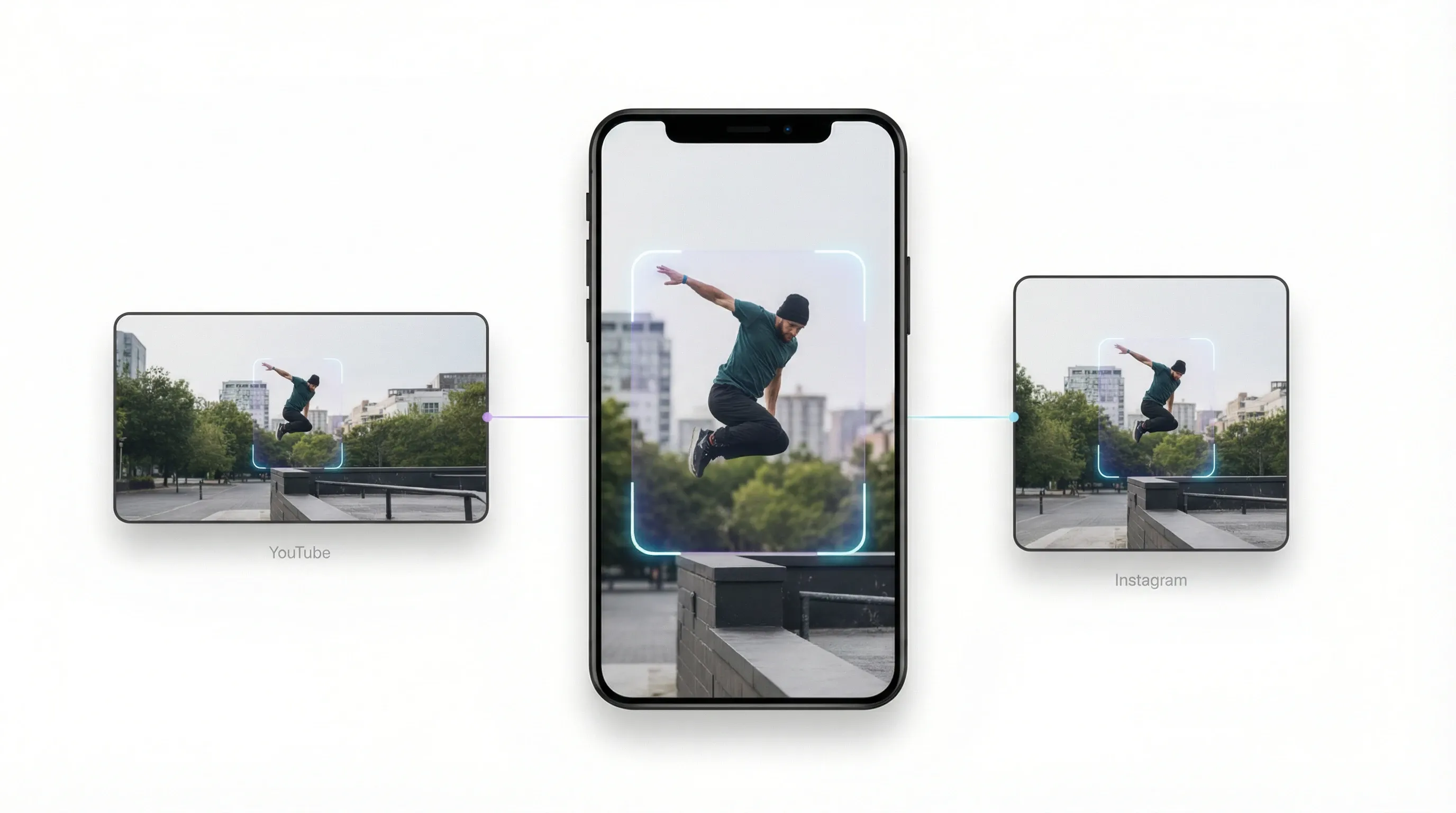
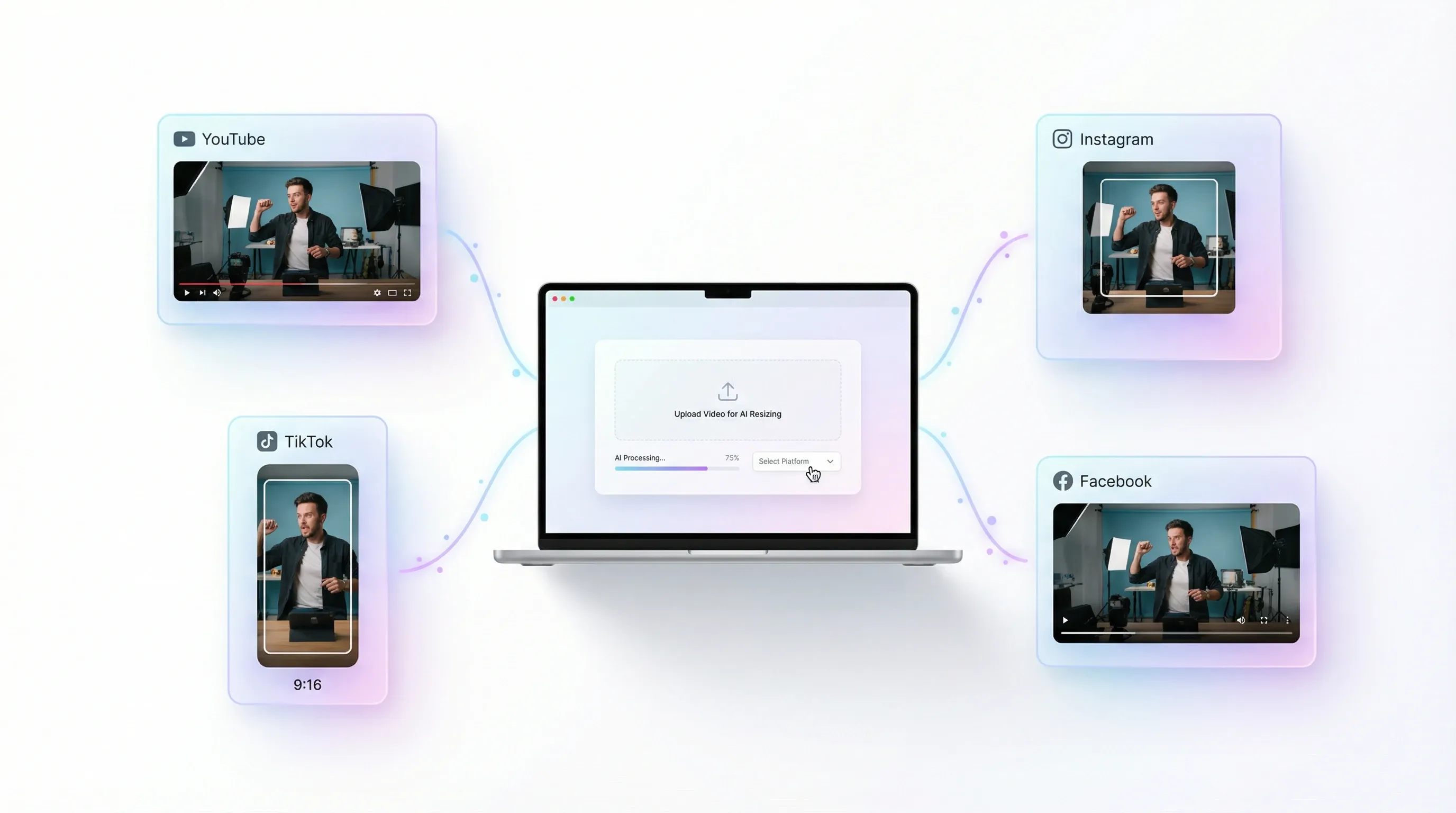
Rapid Social Media Preset Distribution

Stop memorizing aspect ratios for different platforms. AI video resizer provides instant presets for YouTube, Instagram, TikTok, and Facebook. Simply upload your video and select your target platform; our AI handles the rest.
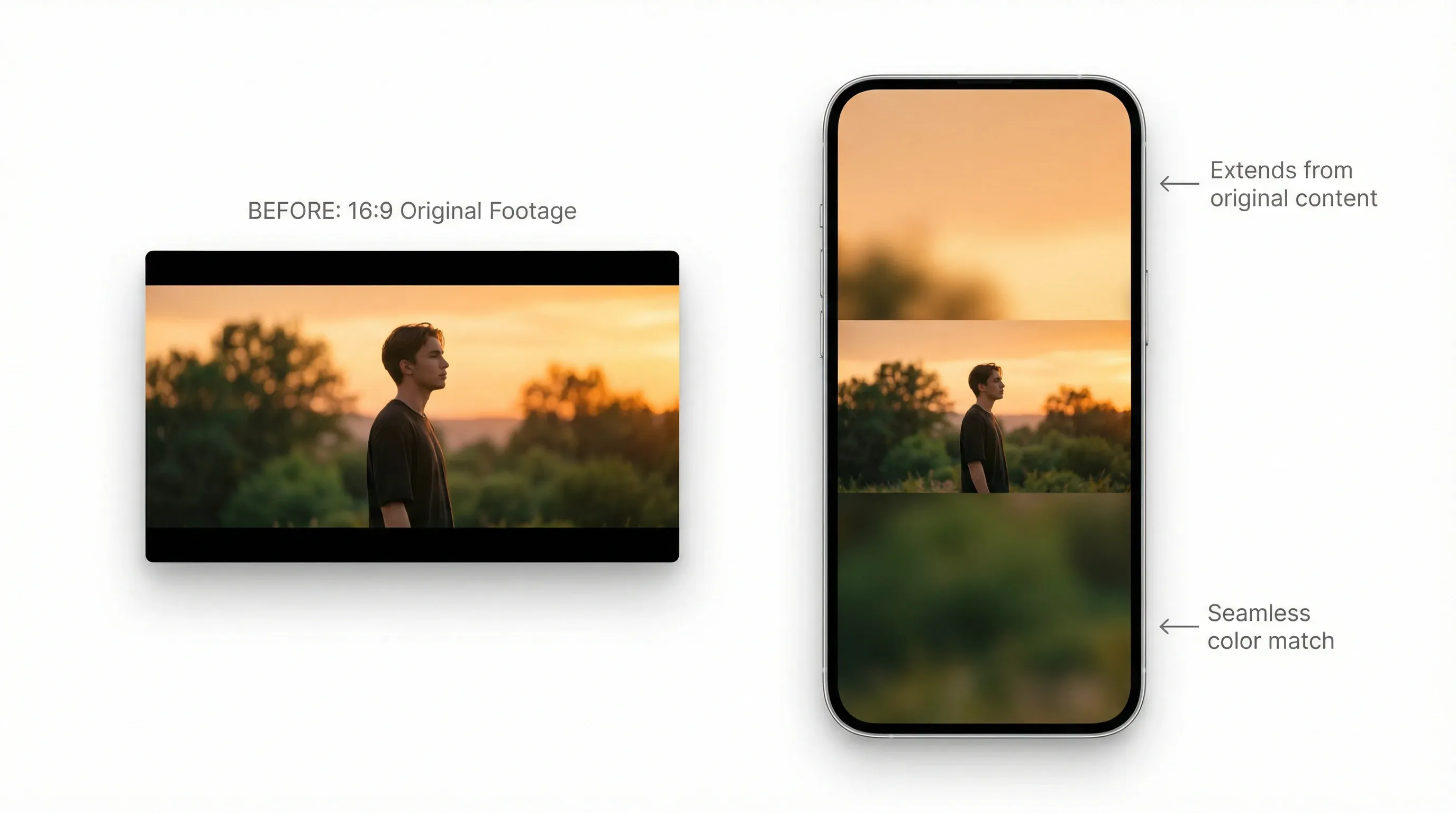
Smart Background Filling for Aesthetic Clips

When changing dimensions, our AI video resizer intelligently fills gaps with content-aware padding or aesthetic blurs. Transform 16:9 cinematic shots into 9:16 vertical masterpieces without awkward cropping.
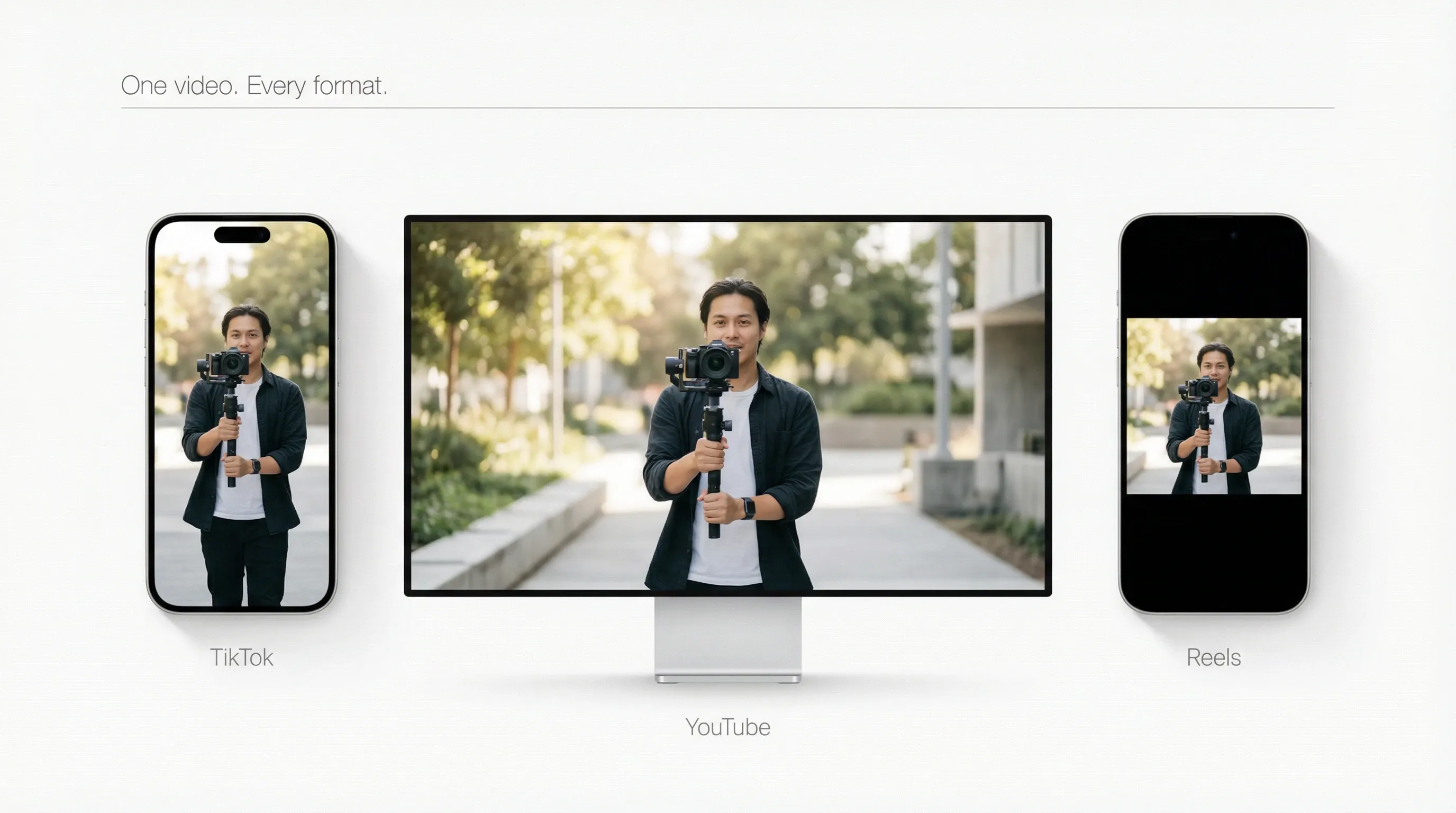
Get Social-Ready Faster

Create once, publish everywhere. Our AI video resizer optimizes your video for TikTok, YouTube, and Reels instantly. Perfect size, perfect format—watch your reach grow across every channel.
How to Use AI Video Reframe Tool?

  1. 1Upload videos and select your target aspect ratio from the presets.
  2. 2AI automatically adapts the footage and fills the frame for a seamless fit.
  3. 3Download your video and it’s ready to be published directly to your chosen platforms.

FAQs about AI Video Reframe Tool

An AI video reframe tool intelligently detects key subjects like faces or motion and dynamically adjusts cropping and framing for every scene, outputting optimized aspect ratios for vertical, square, or widescreen formats.

เครื่องมือสร้างสรรค์
เครื่องสร้างวิดีโอด้วย AI
AI แปลงข้อความเป็นวิดีโอ
AI แปลงรูปเป็นวิดีโอ
อ้างอิงเป็นวิดีโอ
AI แปลงรูปเป็นวิดีโออวาตาร์
เครื่องแก้ไขวิดีโอด้วย AI
การเลียนแบบการเคลื่อนไหว
AI แปลงวิดีโอเป็นวิดีโอ
เครื่องสร้างรูปภาพด้วย AI
AI แปลงรูปเป็นรูป
เครื่องแก้ไขภาพด้วย AI
เครื่องสร้างเสียงด้วย AI
เครื่องมือวิดีโอด้วย AI
เครื่องมือรูปภาพด้วย AI
เครื่องสร้างรูปภาพ
LoRAs
โมเดลวิดีโอ
Veo 3
Sora 2
Kling 3.0
Seedance 2.0
Kling AI
Hailuo AI
PixVerse AI
Runway
Vidu AI
Luma AI
Wan AI
Hunyuan
โมเดลเพิ่มเติม
โมเดลรูปภาพ
GPT Image 2
Nano Banana 2
Recraft
Ideogram
Stable Diffusion
Flux AI
Seedream
Dall-E
Imagen
GPT-4o
Flux Kontext
Qwen Image
Wan AI
โมเดลเพิ่มเติม
แอป
เครื่องสร้างวิดีโอแพร่ระบาด
โฆษณาวิดีโอจากผู้ใช้สร้างขึ้นเอง
โฆษณาวิดีโอคลอน
วิดีโออนิเมะ
วิดีโอเรื่องราว
วิดีโอเพลง
วิดีโอข่าว
วิดีโออธิบาย
วิดีโออินสตาแกรม
วิดีโอเฟซบุ๊ก
วิดีโอ B - Roll
ส่วนท้ายวิดีโอยูทูป
วิดีโอวันเกิด
วิดีโอการบูชา
แอปพลิเคชันเพิ่มเติม
บริษัท
เกี่ยวกับเรา
ติดต่อเรา
ราคา
API
ประวัติการเปลี่ยนแปลง
เซิร์ฟเวอร์ MCP
  • เครื่องมือ AI ที่ดีที่สุด
  • รีวิว
  • บทช่วยสอน
  • ทางเลือก
  • ข้อมูลเชิงลึกโมเดล AI
  • เคล็ดลับโซเชียลมีเดีย
  • บทความทั้งหมด
ดาวน์โหลดแอป
ชุมชน
โปรแกรมคู่ค้าเชิงสร้างสรรค์
โปรแกรมพันธมิตร
นโยบายการคืนเงิน
นโยบายความเป็นส่วนตัว
ข้อกำหนดและเงื่อนไข
TikTV.AI
APK

ภาษาไทย

  • English
  • Русский
  • Português
  • 日本語
  • Español
  • ภาษาไทย
  • Italiano
  • Türkçe
  • Deutsch
  • Nederlands
  • Français
  • 한국어
  • Polski
  • العربية
  • Norsk bokmål
  • Dansk
  • Bahasa Indonesia
  • 繁體中文
  • 简体中文

Copyright 2026 TikTV.AI สงวนลิขสิทธิ์

Trustscore 4.43500+ รีวิว