
TikTV.AI
Home
Crea
Risorse

Creazione

Video AI
Da immagine a videoDa testo a videoDa riferimento a videoImita movimentoDa video a videoEditor video AIFace swap videoUpscaler videoEstensore video
Immagine AI
Generatore immagini AIDa immagine a immagineEditor foto AI
Avatar
Agente
Tela intelligente
Strumenti
Effetti
AppAPI
Fai upgrade ora

Video Reframe

Upload Video

Try a sample

Aspect Ratio

Video Reframe

Automatically reframe and resize your video's aspect ratio to fit any screen perfectly.

16:9

The Ultimate AI Video Reframe Tool for Social Media

AI video resizer streamlines the way you repurpose content for social media. It reframes footage to any aspect ratio, handling every scenario from converting YouTube tutorials into vertical TikToks to adapting landscape ads for Instagram Stories.

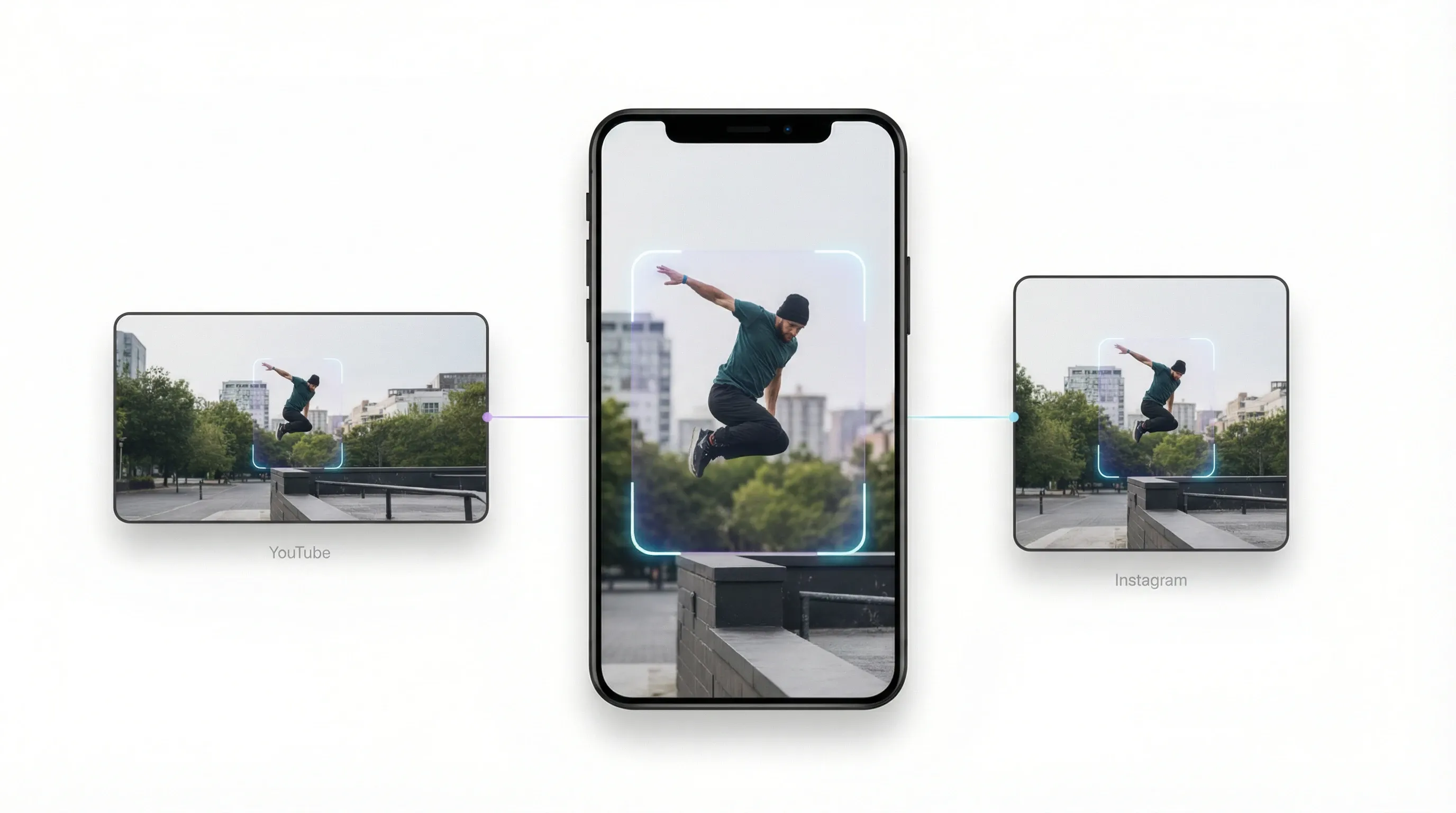
Intelligent Auto-Reframe for Dynamic Action

Stop struggling with manual cropping. Whether you need to resize video for Instagram Reels or convert YouTube clips to TikTok's vertical format, our video resizer tracks movement perfectly so you never lose the subject.
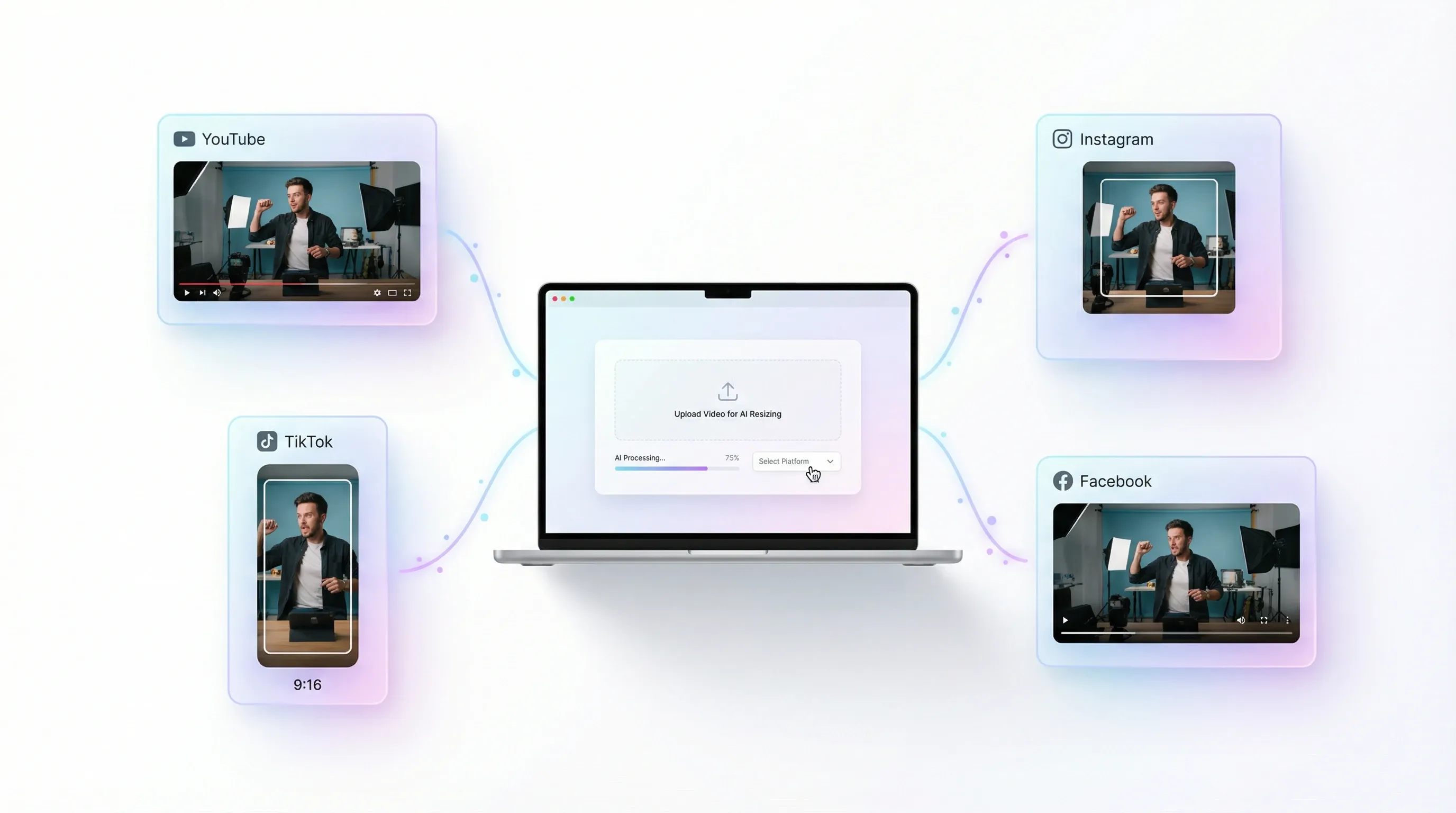
Rapid Social Media Preset Distribution

Stop memorizing aspect ratios for different platforms. AI video resizer provides instant presets for YouTube, Instagram, TikTok, and Facebook. Simply upload your video and select your target platform; our AI handles the rest.
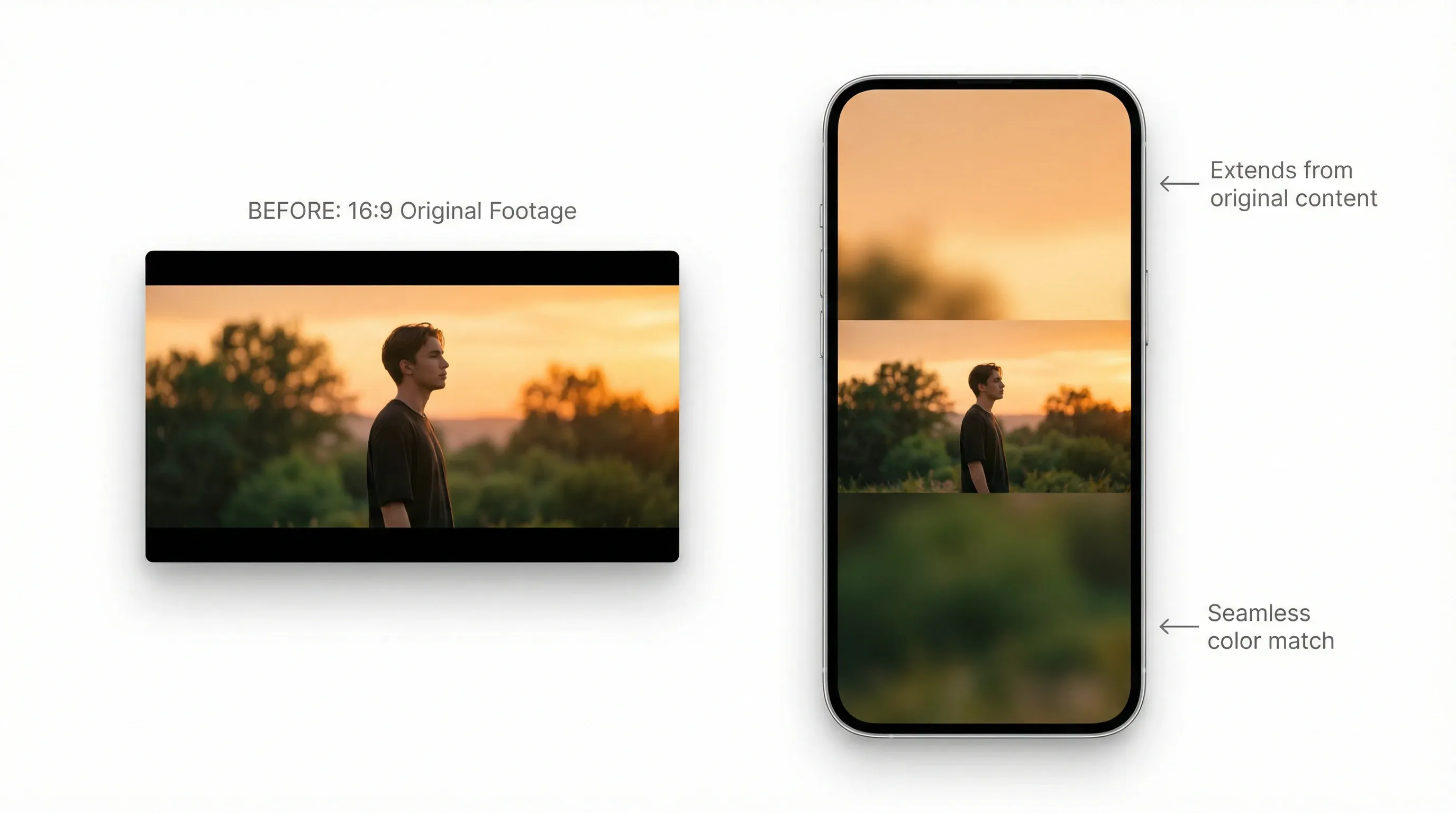
Smart Background Filling for Aesthetic Clips

When changing dimensions, our AI video resizer intelligently fills gaps with content-aware padding or aesthetic blurs. Transform 16:9 cinematic shots into 9:16 vertical masterpieces without awkward cropping.
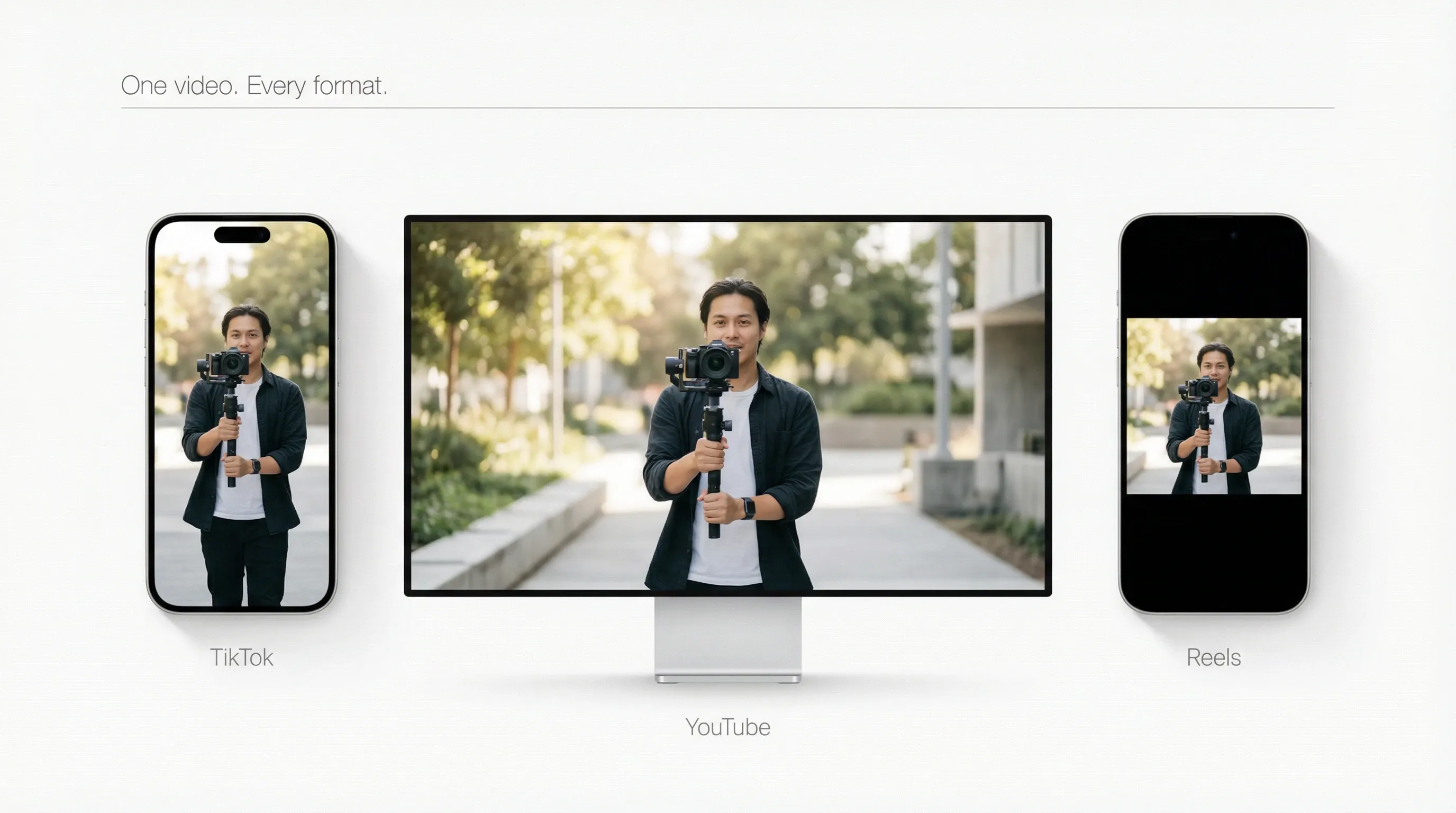
Get Social-Ready Faster

Create once, publish everywhere. Our AI video resizer optimizes your video for TikTok, YouTube, and Reels instantly. Perfect size, perfect format—watch your reach grow across every channel.
How to Use AI Video Reframe Tool?

  1. 1Upload videos and select your target aspect ratio from the presets.
  2. 2AI automatically adapts the footage and fills the frame for a seamless fit.
  3. 3Download your video and it’s ready to be published directly to your chosen platforms.

FAQs about AI Video Reframe Tool

An AI video reframe tool intelligently detects key subjects like faces or motion and dynamically adjusts cropping and framing for every scene, outputting optimized aspect ratios for vertical, square, or widescreen formats.

Strumenti creativi
Generatore di video AI
Testo in video AI
Immagine in video AI
Riferimento a video
Immagine in avatar video
Editor di video AI
Imitazione del movimento
Video in video AI
Generatore di immagini AI
Immagine in immagine AI
Editor di foto AI
Generatore di voci AI
Strumenti per video AI
Strumenti per immagini AI
Generatori di immagini
LoRAs
Modelli video
Veo 3
Sora 2
Kling 3.0
Seedance 2.0
Kling AI
Hailuo AI
PixVerse AI
Runway
Vidu AI
Luma AI
Wan AI
Hunyuan
Altri modelli
Modelli immagine
GPT Image 2
Nano Banana 2
Recraft
Ideogram
Stable Diffusion
Flux AI
Seedream
Dall-E
Imagen
GPT-4o
Flux Kontext
Qwen Image
Wan AI
Altri modelli
App
Generatore di video virali
Annunci video UGC
Annunci video clonati
Video anime
Video di storia
Video musicale
Video di notizie
Video esplicativo
Video Instagram
Video Facebook
Video B-Roll
Outro YouTube
Video di compleanno
Video tributo
Altre app
Azienda
Chi siamo
Contattaci
Prezzi
API
Registro delle modifiche
Server MCP
  • Migliori strumenti IA
  • Recensioni
  • Tutorial
  • Alternative
  • Approfondimenti sui modelli IA
  • Consigli per i social media
  • Tutti gli articoli
Scarica l'app
Community
Programma per Partner Creativi
Programma di Affiliazione
Politica di Rimborso
Politica sulla Privacy
Termini e Condizioni
TikTV.AI
APK

Italiano

  • English
  • Русский
  • Português
  • 日本語
  • Español
  • ภาษาไทย
  • Italiano
  • Türkçe
  • Deutsch
  • Nederlands
  • Français
  • 한국어
  • Polski
  • العربية
  • Norsk bokmål
  • Dansk
  • Bahasa Indonesia
  • 繁體中文
  • 简体中文

Copyright 2026 TikTV.AI. Tutti i diritti riservati.

Trustscore 4.43500+ recensioni