Riverside AI 视频编辑器
Riverside 的最新更新引入了基于聊天功能的编辑方式,用户可以通过简单的提示而非手动时间轴来编辑视频,这进一步强化了其以快速录制为先的工作流程。除了编辑之外, TikTV AI还支持更高级的视频创作,它利用最新的视频模型生成内容,并结合 TikTV 智能体将创意转化为可发布的视频。立即免费使用TikTV AI开始创作吧!
Key Features of Riverside
Edit Videos Through AI Transcription: Control your video by editing the transcript instead of the timeline.Generate Short Clips from Long Recordings: Instantly extract highlights and turn them into social-ready clips.Clean and Balance Audio Automatically: Upgrade audio quality with one click for a more polished final output.Turn Recordings into Structured Content Assets: Automatically generate summaries, chapters, and publish-ready text.Record Without Scheduling with Async Mode: Let guests record on their own time without joining a live session.Translate and Dub Content into Multiple Languages: Convert recordings into multilingual versions with AI dubbing.AI Agent for Multi-Channel Content Creation: Edit and generate multi-platform content through simple prompts.Analyze and Improve Podcast Performance: Track how your content performs and refine your strategy.Record and Create Content on Mobile Devices: Capture high-quality video and audio directly from your phone.
Edit Videos Through AI Transcription
Riverside turns your recording into a synced transcript and edits it directly, whether removing filler words, tightening sentences, or restructuring sections. Every change updates the video instantly, making editing feel like working in a document.
This removes the need for manual timeline editing and lowers the barrier for regular content production. A podcast team can quickly clean up an interview, refine the flow, and export subtitles or a blog version without switching tools.
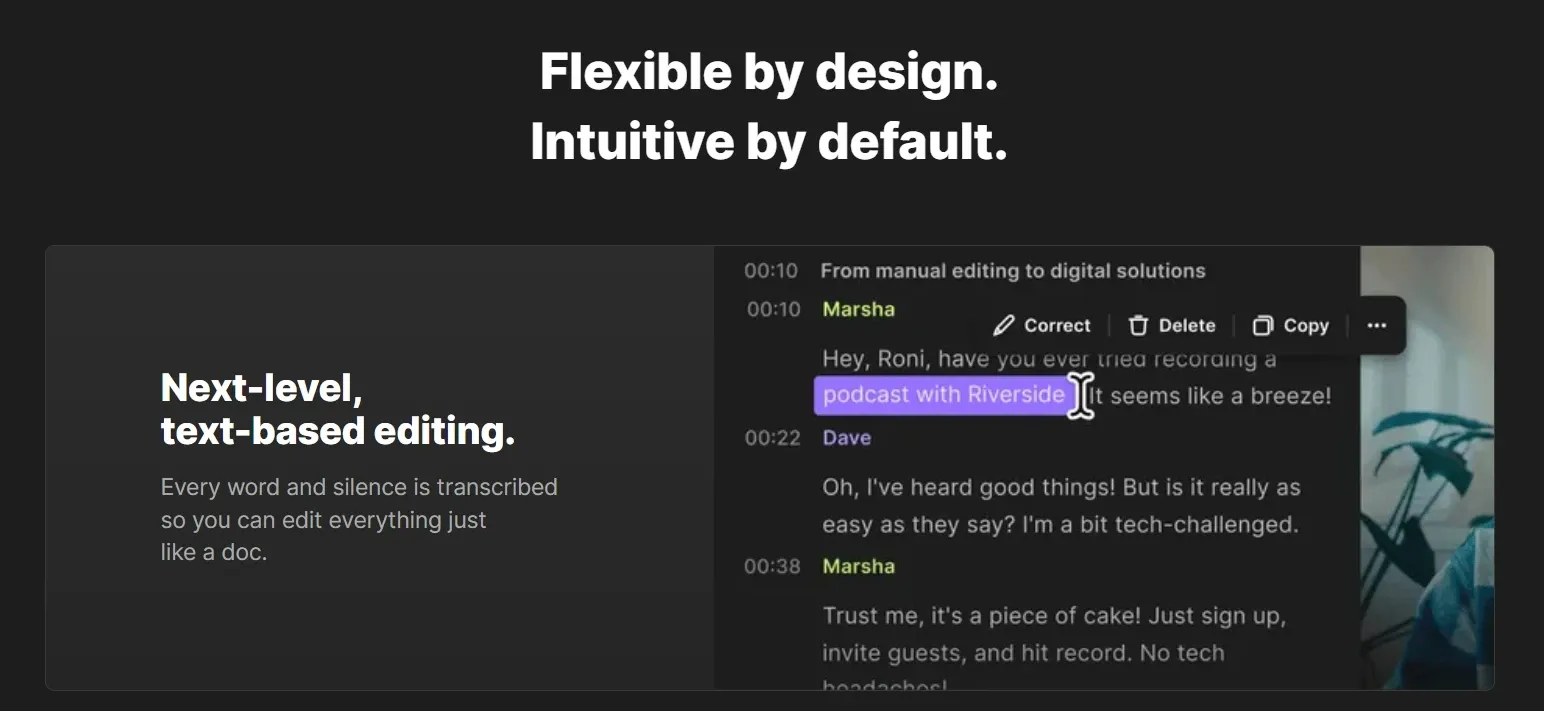
TikTV.AI extends this feature by AI video editor, letting you edit the video itself with simple prompts, from changing backgrounds to removing objects or adding effects.
Instead of just refining structure, TikTV.AI reshapes visuals directly, making edits faster and more flexible without manual steps.
Generate Short Clips from Long Recordings
Riverside scans full-length recordings and identifies key moments, then converts them into short clips formatted for TikTok, Reels, or YouTube Shorts. Instead of reviewing footage manually, you get ready-to-use snippets focused on the most engaging parts.
This speeds up content distribution and supports consistent posting. A creator can turn a 30-minute webinar into multiple vertical clips, ready to publish the same day without extra editing.
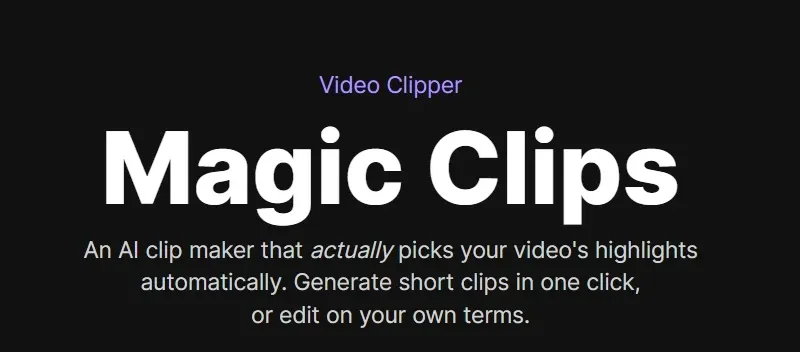
Compared to Riverside, AI clip maker of TikTV.AI goes further by generating structured clips with consistent visuals, pacing, audio, and captions, not just trimmed segments.
This makes each clip feel more complete, multi-version ready, and platform-ready, rather than simple cutdowns from longer videos.
Clean and Balance Audio Automatically
With Riverside, recordings can be improved by removing background noise, balancing speaker levels, and enhancing clarity across tracks. The system smooths out inconsistencies so conversations sound clean and professional, even when recorded in different environments.
This reduces reliance on external tools and shortens post-production time. A remote interview with mixed audio quality can be quickly refined into a studio-like result before publishing.
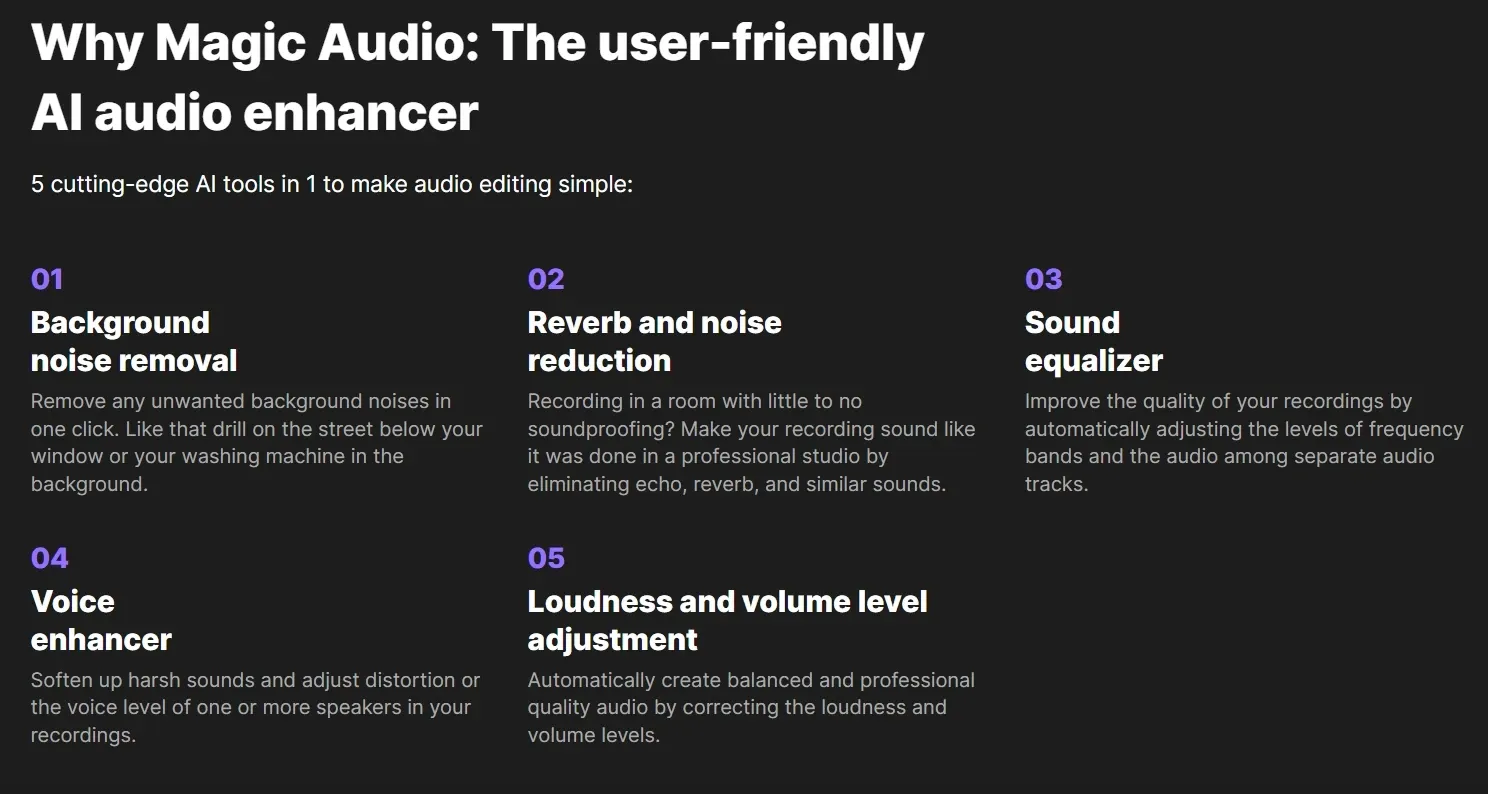
While both Riverside and CapCut offer AI audio cleanup, CapCut focuses on flexible editing with adjustable controls, while Riverside emphasizes fast, one-click enhancement for spoken content.
Turn Recordings into Structured Content Assets
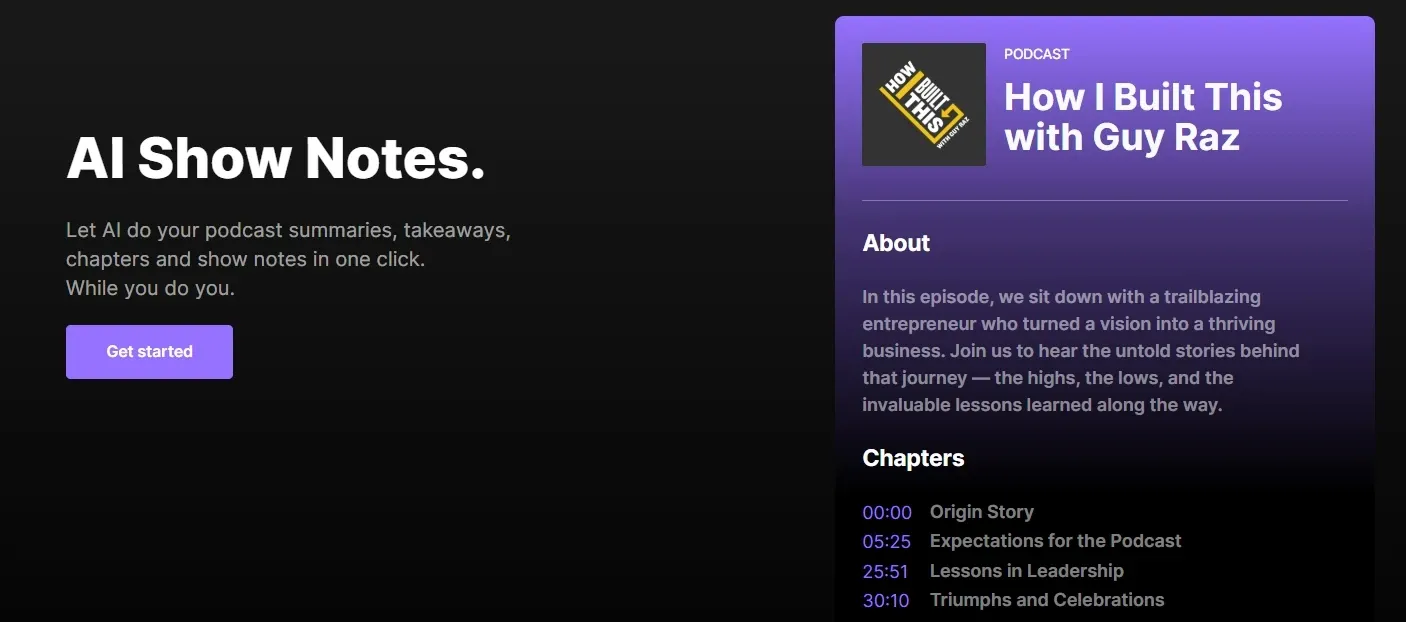
Riverside is capable of converting recordings into structured content, including show notes, key takeaways, and timestamped chapters that make long videos easier to navigate. The output can also be reused for descriptions, blog posts, or newsletters.
This extends the value of each recording beyond video. A marketing team can turn a webinar into a YouTube description, email recap, and SEO-friendly article, all aligned and ready to use.
Record Without Scheduling with Async Mode
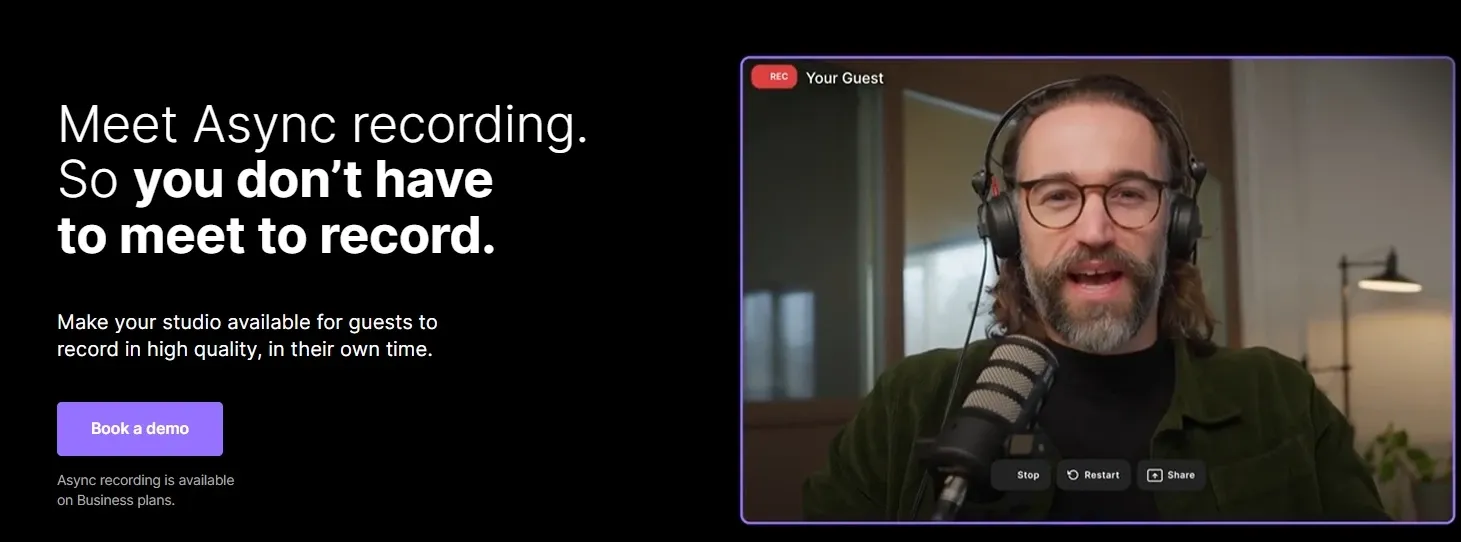
Through Riverside, you can easily invite guests to record video or audio independently without scheduling a live session. Each participant records locally in high quality, and files are uploaded automatically once finished, ensuring stable results regardless of time zones or connection issues.
This removes scheduling friction and simplifies collaboration across regions. A podcast host can collect guest recordings from different time zones and combine them into one episode without coordinating a live call.
Translate and Dub Content into Multiple Languages
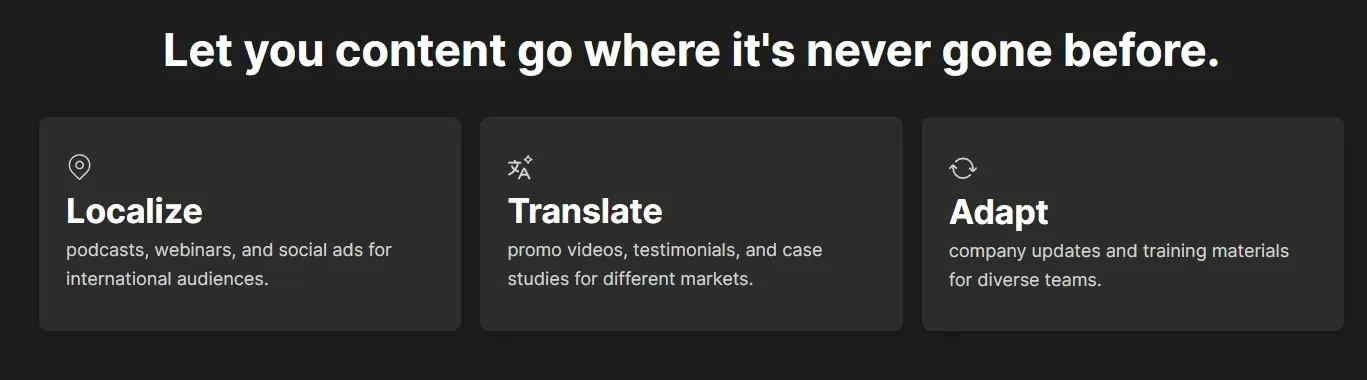
With AI translation and voice dubbing of Riverside, you might turn your content into multiple languages, creating localized versions that go beyond subtitles. Riverside allows you to reach new audiences without re-recording or additional production.
This makes global distribution more scalable. A marketing team can take one webinar and generate multiple language versions for different regions, ready for localized campaigns.
AI Agent for Multi-Channel Content Creation
Riverside’s chat-based interface lets users interact with their recording by asking its AI agent to make edits, generate clips, or refine content without manually adjusting timelines.
Instead of editing the video directly, you guide the process with prompts, making it easier to shape content and apply changes quickly.
At the same time, the AI agent can generate outputs for different platforms, such as social posts, titles, or clip ideas. This brings editing and distribution into one flow, allowing a creator to refine a podcast and produce LinkedIn posts or short video ideas in the same workflow.
Different from Riverside’s chat-based agent that refines existing recordings, TikTV Agent builds videos from the ground up, turning a simple idea, link, or image into complete outputs with structured scenes, visuals, and flow.
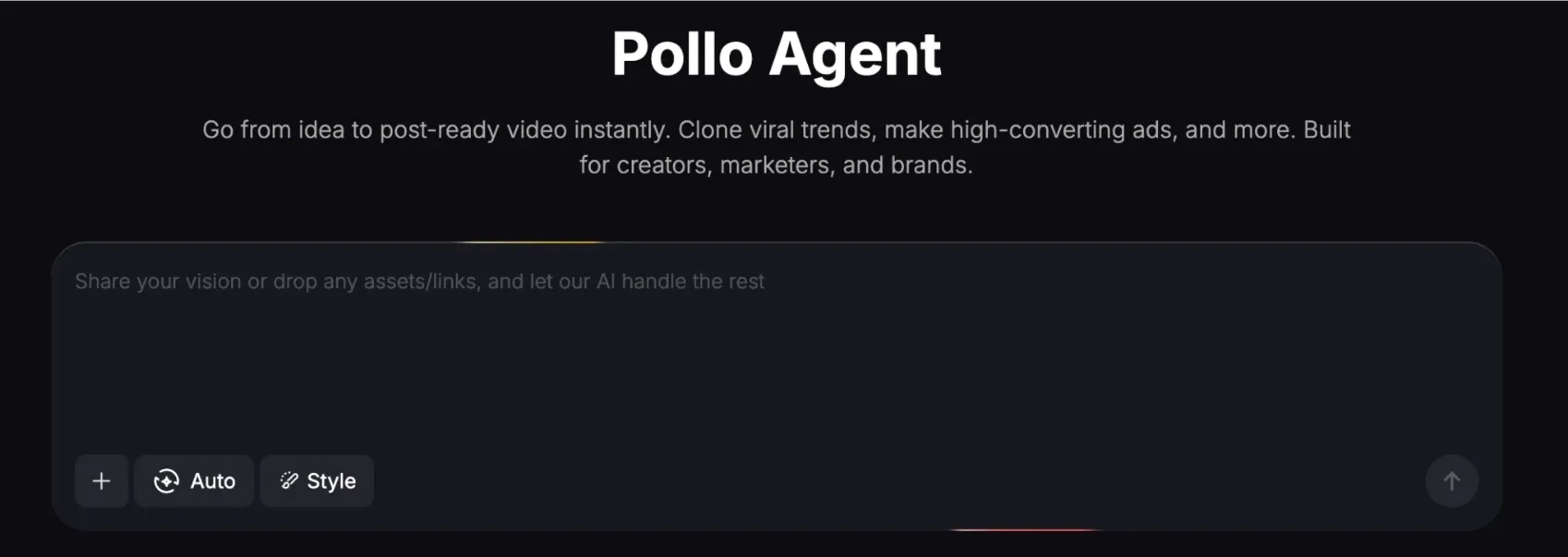
TikTV Agent delivers ready-to-use content with no editing required, continuously refining ideas and replicating proven viral formats, rather than just improving what’s already there.
Analyze and Improve Podcast Performance
Riverside includes podcast analytics for tracking listens, engagement, and audience behavior across published content. This helps users understand which topics or formats perform best, rather than relying on guesswork.
A marketer can quickly identify high-performing episodes or segments, then double down on similar content, repurpose winning clips, and refine distribution based on real data.
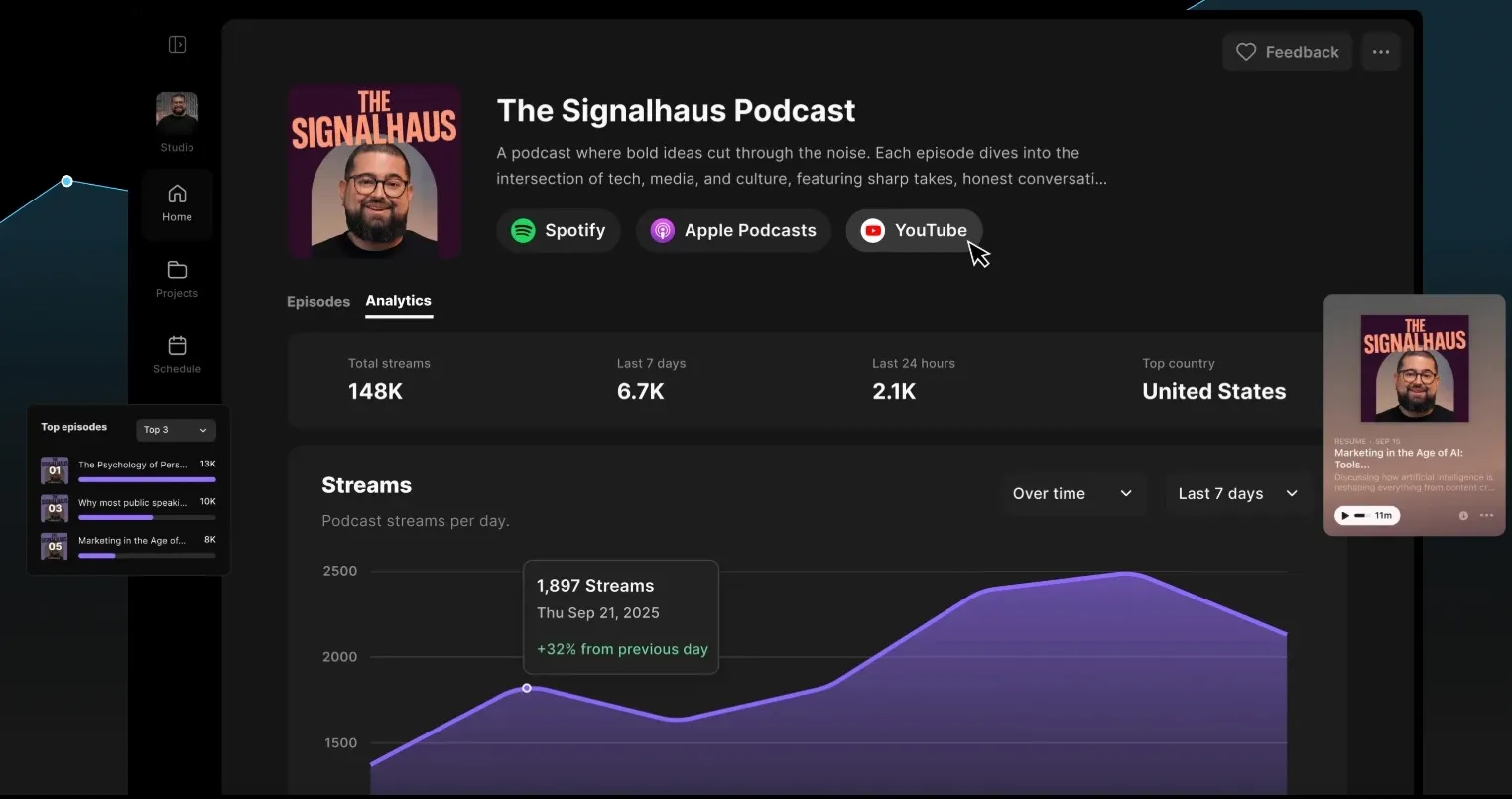
Compared with VEED.io, Riverside focuses more on podcast-specific insights like listens and audience engagement. VEED.io, on the other hand, is geared toward general video performance tracking.
Record and Create Content on Mobile Devices
Riverside’s mobile app supports on-the-go recording, turning a phone into a portable setup for video and audio capture. This makes it easier to record content without relying on a desktop or studio environment.
This adds flexibility to content creation and removes location limits. A creator can record interviews or quick updates while traveling and continue editing or publishing within the same workflow.
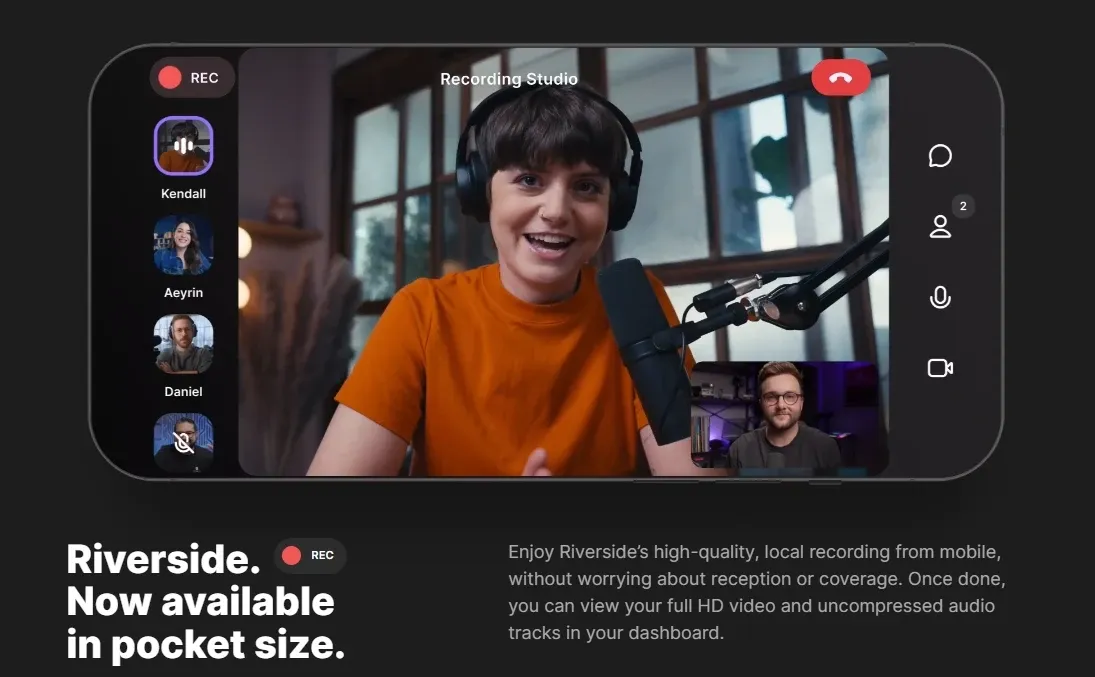
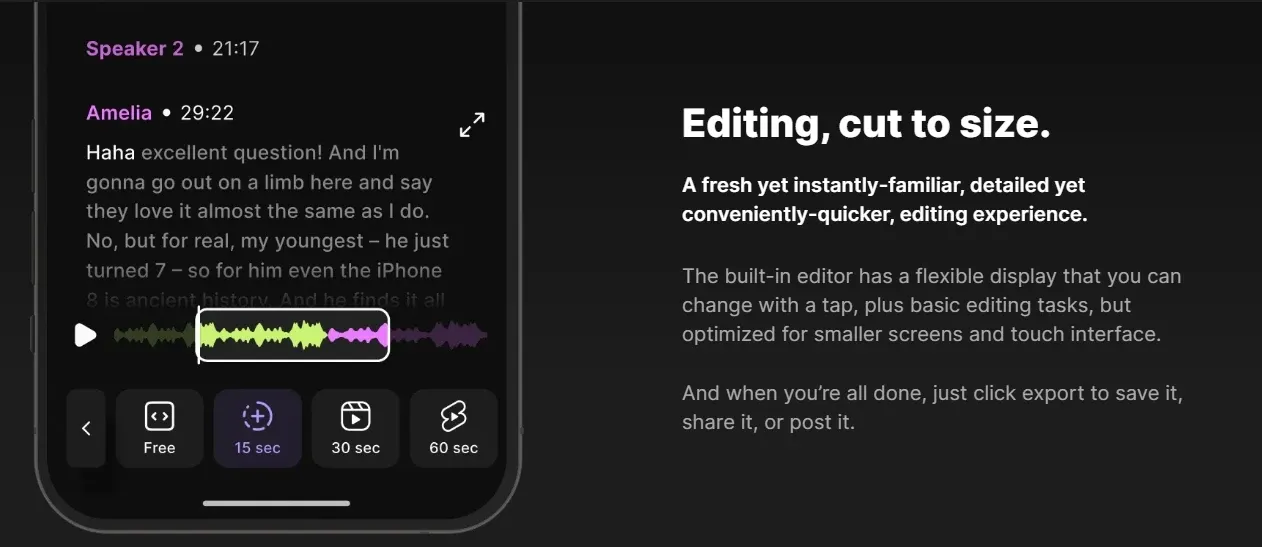
Compared with FlexClip, Riverside is designed for high-quality recording, especially for interviews and podcasts.
FlexClip supports screen and webcam recording, but is primarily focused on editing and template-based video creation rather than long-form content capture.
Who Is Riverside Really For?
- Podcasters & Interview Hosts: Record remote interviews in studio quality, clean up conversations with text-based editing, and turn each episode into clips, transcripts, and show notes ready for publishing.
- Content Creators & Social Media Teams: Capture long-form videos, then quickly generate short clips, captions, and post-ready assets to stay consistent across TikTok, YouTube, and LinkedIn.
- Marketing & Growth Teams: Produce webinars, product explainers, or testimonial videos, then track performance and repurpose top-performing content into campaigns and social posts.
- Educators & Internal Communication Teams: Create training videos, tutorials, or company updates, and structure them with summaries, chapters, and transcripts for easier access and reuse.
- Remote Teams & Business Professionals: Record async video messages, meetings, or presentations without scheduling conflicts, and share polished content across distributed teams.
Riverside vs CapCut vs Descript vs TikTV.AI
| Features | Riverside | CapCut | Descript | TikTV.AI |
| Ease of Use | Very simple, recording-first | Beginner-friendly, intuitive | Easy for basics, deeper tools take time | Idea to video, no editing |
| Core Strength | Recording + podcast workflow | Visual editing & templates | Text-based editing for speech | Full video generation + agent workflow |
| Recording Quality | Strong (4K local recording) | Basic | Not a core strength | Not focused |
| Editing Style | Text + light timeline | Visual timeline + effects | Fully transcript-based | No manual editing needed |
| AI Features | Clips, audio cleanup, summaries | Effects, captions, templates | Overdub, transcription, AI edits | Full video generation, multi-model AI |
| Agent | Agent only for editing | None | Limited | TikTV Agent (idea to finished video) |
| Best For | Podcasts, interviews, webinars | TikTok, Reels, short videos | Podcasts, tutorials, voice content | UGC ads, marketing, scalable content |
Riverside stands out as a recording-first video tool built for podcasts, interviews, and webinars, with strong local recording quality and streamlined post-production.
Compared to CapCut’s visual editing and Descript’s text-based workflows, it’s best for capturing and refining spoken content, while platforms like TikTV.AI focus on generating complete, ready-to-use videos without manual editing.
Riverside’s Position in the Market
Riverside positions itself as a recording-first content platform, sitting between video conferencing tools and full video editors. It focuses on capturing studio-quality audio and video remotely, then simplifying editing and publishing with built-in AI tools.
Unlike editing-heavy platforms, Riverside starts at the moment of capture, ensuring high-quality raw content through local recording and multi-track outputs. It then adds lightweight editing, repurposing, and distribution in one workflow.
Overall, Riverside fits as an end-to-end solution for spoken content production, especially for podcasts, interviews, and webinars, rather than a full editing or generative AI platform.
What Users Think About Riverside
Many users value Riverside for its straightforward setup and strong recording quality, especially for remote podcasts and interviews. It’s often seen as a reliable way to produce clean, professional content without a complex workflow.
That said, not all experiences are smooth. Some users report issues with bugs, slow editing performance, or occasional problems with saved files, which can be frustrating during longer sessions.
Overall, Riverside is appreciated for making high-quality recordings accessible, but its editing stability does not always match its recording strengths.
Looking for More Than Recording? Try TikTV.AI
If your needs go beyond recording and basic editing, TikTV.AI offers a more advanced approach to content creation.
Instead of starting with captured footage, TikTV.AI lets you generate videos from ideas using multiple models, such as Kling AI and Veo, making it easier to create blog-style videos, marketing content, and social assets without filming.
With TikTV Agent, you can go even further by turning a single idea into multiple ready-to-use outputs, from short-form videos to platform-specific variations, without any editing steps.
This makes TikTV.AI a strong alternative for creators and marketers who want to move faster from concept to publish, not just from recording to editing.
TikTV.AI also offers many apps that create complete videos in one click, like clone video ads built for marketers and AI UGC video generator built for digital content creators.
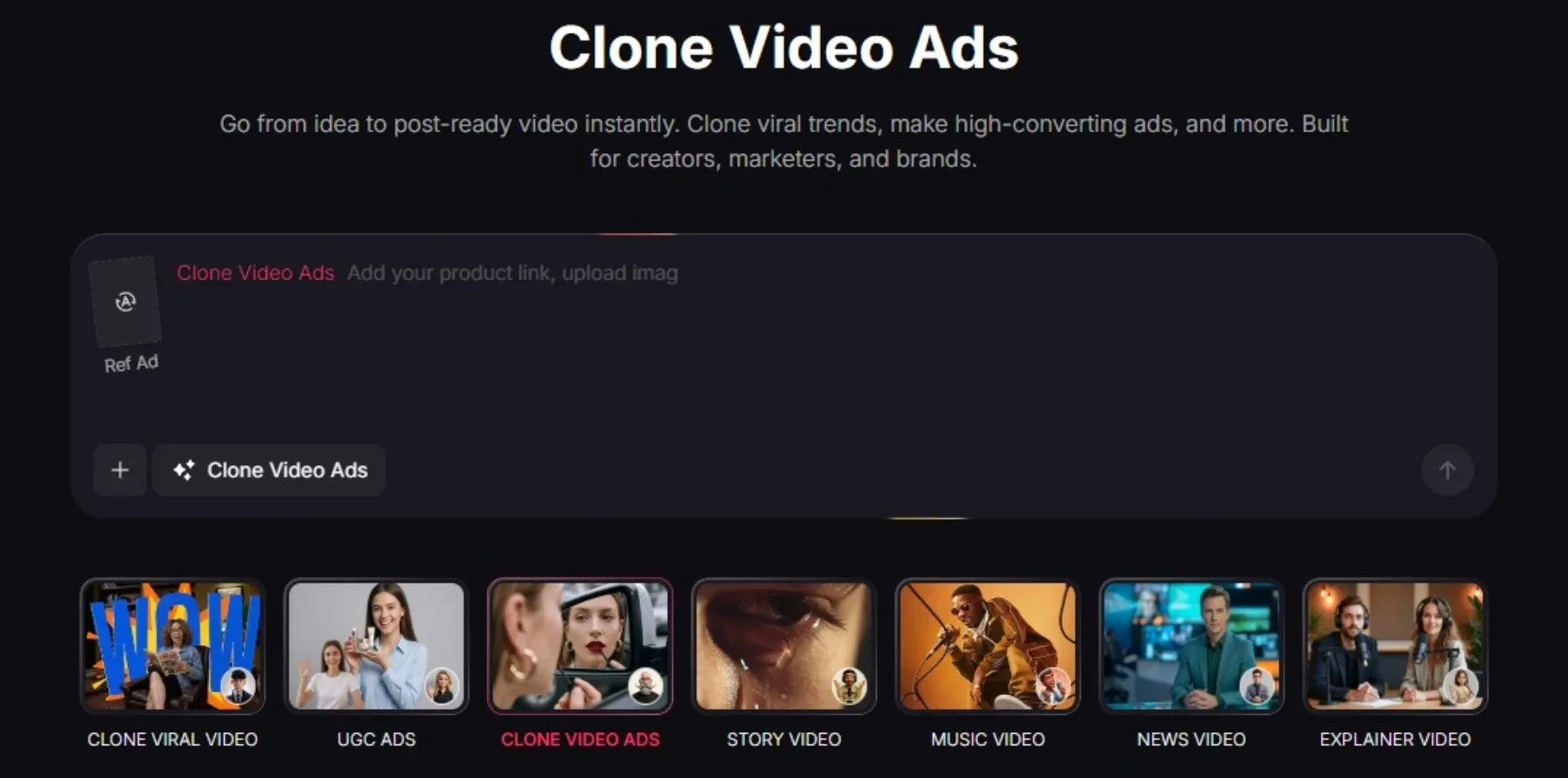
Paste a product link or reference ad, and it generates ready-to-run video ads with proven hooks, structure, and messaging—no manual editing needed. It makes it easy to produce multiple ad variations and scale campaigns fast.
Riverside的主要特点
利用人工智能转录编辑视频:通过编辑文字稿而不是时间轴来控制视频。
从长录像中生成短片段:立即提取精彩片段,并将其转换为适合在社交媒体上分享的视频短片。
自动清理和平衡音频:一键升级音频质量,获得更完美的最终输出效果。
将录音转化为结构化内容资产:自动生成摘要、章节和可直接发布的文本。
异步模式下无需调度即可录制:允许嘉宾在不参与实时会议的情况下自行录制。
将内容翻译并配音成多种语言:利用人工智能配音将录音转换为多语言版本。
通过人工智能转录编辑视频
Riverside能将您的录音转换为同步转录文本,并直接进行编辑,无论是删除冗余词语、精简句子还是重组段落。每次更改都会立即更新视频,让编辑过程如同编辑文档一般轻松便捷。
这省去了手动编辑时间线的步骤,降低了常规内容制作的门槛。播客团队无需切换工具,即可快速整理采访内容、优化流程,并导出字幕或博客版本。
TikTV AI通过AI 视频编辑器扩展了此功能,让您可以通过简单的提示编辑视频本身,从更改背景到删除对象或添加效果。
TikTV AI不仅能优化结构,还能直接重塑视觉效果,无需手动操作即可实现更快、更灵活的编辑。
从长录像中生成短片段
Riverside会扫描完整视频,识别关键时刻,然后将其转换为适用于 TikTok、Reels 或YouTube Shorts 的短视频片段。您无需手动筛选素材,即可获得聚焦于最精彩部分的即用型视频片段。
这加快了内容分发速度,并支持持续发布。创作者可以将30分钟的网络研讨会转换成多个竖屏视频片段,无需额外编辑即可当天发布。
与Riverside相比, TikTV AI的AI 视频剪辑器更进一步,它生成的是具有一致视觉效果、节奏、音频和字幕的结构化视频片段,而不仅仅是剪辑片段。
这样一来,每个片段都感觉更加完整,可以制作多个版本,并且可以适配各种平台,而不是简单地从较长的视频中剪辑出来。
自动清理和平衡音频
Riverside可以消除背景噪音、平衡说话人音量并提升音轨清晰度,从而改善录音质量。该系统能够消除录音中的不一致性,即使在不同的环境下录制,也能确保对话清晰专业。
这减少了对外部工具的依赖,并缩短了后期制作时间。音频质量参差不齐的远程采访可以快速精修,最终呈现出媲美录音棚的音质,然后再发布。
Riverside和CapCut都提供 AI 音频清理功能,但CapCut侧重于具有可调节控件的灵活编辑,而Riverside强调对语音内容进行快速的一键增强。
将录音转化为结构化内容资产
Riverside能够将录制内容转换为结构化内容,包括节目笔记、要点总结和带时间戳的章节,使长视频更易于浏览。转换后的内容还可以重复用于产品描述、博客文章或新闻简报。
这使得每次录制的价值不仅限于视频。营销团队可以将网络研讨会的内容转换成YouTube描述、电子邮件摘要和 SEO 优化文章,所有内容都协调一致,随时可用。
异步模式下无需调度即可录制
通过Riverside,您可以轻松邀请嘉宾独立录制视频或音频,无需安排实时会议。每位参与者都会在本地进行高质量录制,文件完成后会自动上传,确保不受时区或网络连接问题的影响,获得稳定的录制效果。
这消除了日程安排上的障碍,简化了跨地区的协作。播客主持人可以收集来自不同时区的嘉宾录音,并将它们合并成一期节目,而无需协调实时通话。
将内容翻译并配音成多种语言
借助Riverside的 AI 翻译和配音功能,您可以将内容翻译成多种语言,创建超越字幕的本地化版本。Riverside 让你无需重新录制或进行额外制作即可触达新的受众群体。
这使得全球分发更具可扩展性。营销团队可以利用一次网络研讨会,生成适用于不同地区的多种语言版本,为本地化营销活动做好准备。
用于多渠道内容创作的AI 智能体
Riverside 的聊天界面允许用户通过要求其 AI 智能体进行编辑、生成片段或完善内容来与录制内容进行交互,而无需手动调整时间线。
您无需直接编辑视频,而是通过提示引导整个过程,从而更容易地塑造内容并快速应用更改。
与此同时,人工智能智能体还能为不同平台生成输出内容,例如社交媒体帖子、标题或视频创意。这使得编辑和分发流程融为一体,创作者可以在同一工作流程中完善播客内容,并生成LinkedIn帖子或短视频创意。
与 Riverside 基于聊天、改进现有录音的智能体不同, TikTV 智能体从头开始构建视频,将简单的想法、链接或图像转化为具有结构化场景、视觉效果和流程的完整输出。
TikTV 智能体提供无需编辑即可使用的现成内容,不断完善创意并复制已被证明的病毒式传播模式,而不仅仅是改进现有内容。
分析并提升播客表现
Riverside内置播客分析功能,可追踪已发布内容的收听量、互动情况和受众行为。这有助于用户了解哪些主题或形式表现最佳,而无需依赖猜测。
营销人员可以快速识别表现优异的剧集或片段,然后加大对类似内容的投入,重新利用成功的片段,并根据真实数据改进分发方式。
与VEED相比, Riverside更侧重于播客相关的洞察数据,例如收听量和听众互动度。而VEED则更侧重于通用视频表现追踪。
使用移动设备录制和创建内容
Riverside 的移动应用支持随时随地录制,将手机变成便携式视频和音频采集设备。这使得用户无需依赖台式机或录音棚环境即可轻松录制内容。
这增加了内容创作的灵活性,并打破了地域限制。创作者可以在旅行途中录制采访或简短更新,并在同一工作流程中继续编辑或发布。
与FlexClip相比, Riverside专为高质量录音而设计,尤其适用于采访和播客。
Riverside究竟是为哪些人服务的?
播客和访谈主持人:以录音棚质量录制远程采访,使用基于文本的编辑清理对话,并将每一集节目制作成可供发布的片段、文字稿和节目笔记。
内容创作者和社交媒体团队:拍摄长视频,然后快速生成短片、标题和可直接发布的素材,以在 TikTok、 YouTube和LinkedIn上保持一致。
市场营销和增长团队:制作网络研讨会、产品讲解视频或客户评价视频,然后跟踪效果,并将效果最好的内容重新用于营销活动和社交媒体帖子。
教育工作者和内部沟通团队:创建培训视频、教程或公司最新动态,并以摘要、章节和文字稿的形式进行结构化,以便更轻松地访问和重复使用。
远程团队和商务人士:录制异步视频消息、会议或演示文稿,避免日程冲突,并在分散的团队中共享精炼的内容。
Riverside在市场中的地位
Riverside将自身定位为以录制为核心的内容平台,介于视频会议工具和功能齐全的视频编辑器之间。它专注于远程录制录音棚级别的音频和视频,然后利用内置的 AI 工具简化编辑和发布流程。
与需要大量后期编辑的平台不同, Riverside从素材采集的那一刻起就开始工作,通过本地录制和多轨输出确保高质量的原始内容。然后,它在一个工作流程中完成轻量级的编辑、素材重用和分发。
总体而言, Riverside更适合作为语音内容制作的端到端解决方案,尤其适用于播客、访谈和网络研讨会,而不是完整的编辑或生成式 AI 平台。
用户对Riverside 的看法
许多用户青睐Riverside ,因为它设置简单,录音质量出色,尤其适合远程播客和采访。它通常被视为一种可靠的方式,无需复杂的流程即可制作出清晰、专业的音频内容。
话虽如此,并非所有体验都一帆风顺。一些用户反映存在程序错误、编辑速度缓慢或保存文件偶尔出现问题等情况,这些问题在长时间使用过程中可能会令人沮丧。
总的来说, Riverside因其能够提供高质量的录音而备受赞誉,但其编辑稳定性并不总是与其录音实力相匹配。
想要录制以外的更多功能?试试TikTV AI
如果您的需求超出录制和基本编辑的范畴, TikTV AI提供了一种更高级的内容创作方法。
TikTV AI不以拍摄素材为起点,而是利用Kling AI和Veo等多种模型,根据想法生成视频,从而更容易创建博客风格的视频、营销内容和社交素材,而无需实际拍摄。
使用 TikTV 智能体,您可以更进一步,将一个想法转化为多个可直接使用的输出格式,从短视频到特定平台的变体,无需任何编辑步骤。
这使得TikTV AI成为创作者和营销人员的有力选择,他们不仅希望从录制到编辑更快地完成从概念到发布的整个过程,还希望更快地完成从录制到编辑的整个过程。
TikTV AI还提供许多一键创建完整视频的应用程序,例如专为营销人员打造的复刻爆款视频广告和专为数字内容创作者打造的AI UGC 视频生成器。
粘贴产品链接或参考广告,即可生成预先设计好、结构清晰、信息传递到位的即用型视频广告——无需手动编辑。它能轻松制作多种广告版本,并快速扩展广告活动规模。
将Riverside切换到TikTV AI 的3 个理由
访问最新的视频生成模型
使用Seedance等尖端模型创建视频,让您能够更好地控制动作、风格和整体输出质量。
使用专业视频工具,超越一代
使用视频工具(如从视频中移除对象)和专为实际制作工作流程设计的其他增强功能,来优化和完善您的内容。
使用 TikTV 智能体创建可直接发布的内容
从一个产品或创意开始,即可立即获得完全制作完成、可供平台使用的视频,这些视频经过性能优化,无需编辑。
常见问题解答
什么是 Riverside AI 视频编辑器?
Riverside 是一个以录制为先的视频和音频平台,专为播客、访谈和网络研讨会而设计。其主要优势在于高质量的本地录制(高达 4K 视频和未压缩音频),并结合了简单的编辑工具以及用于剪辑、转录和内容再利用的 AI 功能。
Riverside 可以根据文本或提示生成视频吗?
不,Riverside 不是一个生成式人工智能视频工具。它专注于录制和编辑现有内容,而不是根据提示或想法创建视频。
Riverside 的文本编辑功能是如何运作的?
Riverside 会将您的录音转换成文字记录,让您可以通过编辑文字来编辑视频。删除文字或句子会自动删除视频中相应的片段。
Riverside 支持远程录音吗?
是的,Riverside 专为远程录制而设计。每位参与者都在自己的设备上进行本地录制,无论互联网连接质量如何,都能确保高质量的音频和视频。
Riverside 最适合哪些人?
Riverside 最适合播客、访谈主持人、营销人员以及创建网络研讨会、教程或视频播客等口语内容的人员。
Riverside 比传统的视频编辑器更好吗?
Riverside 更适合录制和管理口语内容工作流程。但是,传统的视频编辑器为视频制作提供了更高级的视觉编辑、效果和创意控制。
Riverside 有什么限制吗?
Riverside 是一款强大的录制工具,但其编辑工具比完整的视频编辑器功能更有限,并且在较长的会话中性能可能会有所不同。如果您需要更高级的编辑功能或希望根据想法生成视频, TikTV AI提供了一个更灵活的替代方案,其人工智能模型和工具专为完整的视频创作而构建。