NeonLights AI 视频生成器
NeonLights AI 专注于多模型视频渲染和基于模板的特效,只需极少的设置即可将图像和提示信息转化为短小精悍的电影片段。想要更强大的功能? TikTV AI将领先的模型与视频智能体相结合,可将创意转化为结构完整、即用型的视频。立即免费试用TikTV AI !
Key Features
Cinematic Video Rendering with Multiple Models : Generate short cinematic videos using a wide selection of advanced AI video models.Flexible Video Settings for Format and Output : Customize aspect ratio, resolution, and duration to match different publishing needs.Video Generation with Start and End Frames : Turn static images into animated videos with controlled visual transitions.Prompt-Based Motion Control for Video Creation : Describe motion and scene behavior directly through text prompts.Template-Based AI Video Effects from Images : Create animated videos instantly using pre-built visual effect templates.Holographic AI Visual Style Generation : Create futuristic, holographic-style visuals for video scenes with a distinct neon aesthetic.
Cinematic Video Rendering with Multiple Models
NeonLights AI allows users to choose from multiple video models, such as Veo 3.1 and Kling 3.0, each optimized for different output styles like realism, motion, or speed. This flexibility gives users control over the visual direction without needing deep technical knowledge.
For example, a content creator can test different models to generate variations of the same concept: using Veo for cinematic storytelling and Kling for faster iterations—before selecting the best version for social media posting.

TikTV.AI takes this further. Its image to video AI not only supports multiple leading models but also maintains subject consistency and generates smoother, more coherent motion from a single image.
Outputs follow prompts more precisely, making results feel less like variations and more like intentional scenes.
It also generates matching sound and music alongside the visuals, so videos feel more complete. Instead of testing clips across models, you get results that are closer to ready to use content.
Flexible Video Settings for Format and Output
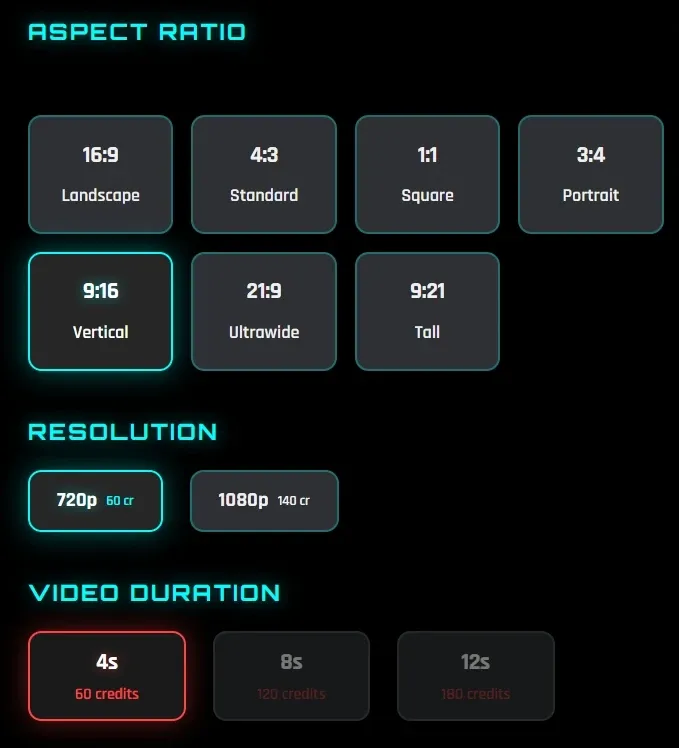
NeonLights AI offers multiple aspect ratio options such as 16:9, 9:16, and 1:1, along with resolutions up to 1080p and flexible durations of 4s, 8s, or 12s. This makes it easy to tailor outputs for different platforms without external editing.
For instance, a marketer can generate a vertical 9:16 video for TikTok and a horizontal 16:9 version for YouTube using the same concept, saving time on resizing and reformatting.

Video Generation with Start and End Frames
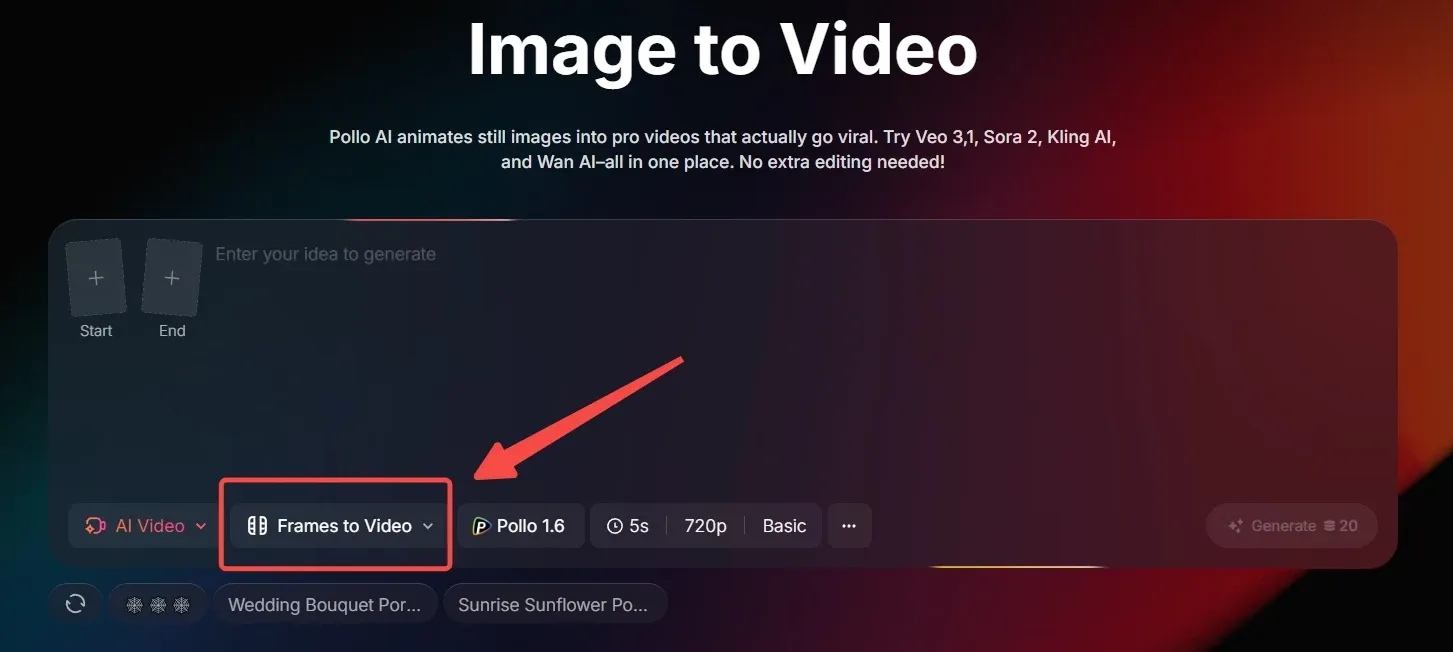
NeonLights AI supports uploading start and end frames, allowing the system to generate motion that connects two visual states. This gives more structure compared to basic image animation.
For example, a brand designer can upload a product image as the start frame and a lifestyle scene as the end frame to create a transition-style video for product storytelling.
NeonLights AI lets you connect a start and end frame to create simple transition-style motion. TikTV.AI’s frame to video goes further by giving you more control over how that motion unfolds.
Instead of just linking two frames, it generates smoother transitions with stronger subject consistency and more natural scene progression. You can guide the result with prompts and refine how the movement evolves, not just the endpoints.
It’s also easy to access within the image to video workflow, so you can move from a single frame or multiple frames into a more coherent, story-like video rather than just a visual transition.

Prompt-Based Motion Control for Video Creation
Users can input detailed prompts (up to 2000 characters) to guide how motion unfolds, including camera movement, subject behavior, and scene dynamics. This enables more precise creative direction compared to simple template-based tools.
For instance, a creator can describe a “slow zoom-in with soft lighting and floating particles” to produce a more atmospheric video for a brand intro or aesthetic post.
Template-Based AI Video Effects from Images
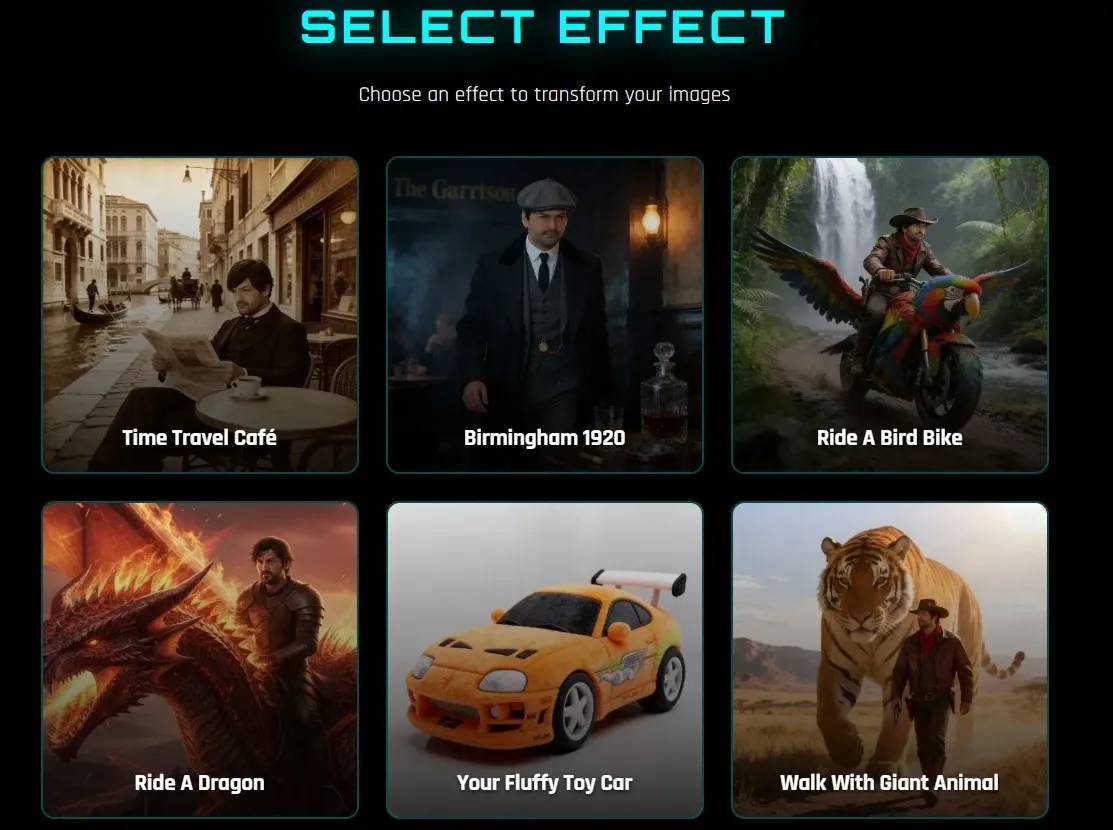
NeonLights AI offers some effect templates like “Ride a Dragon” or “Walk with Giant Animal,” where users simply upload an image and apply an effect without writing prompts or adjusting settings.
For example, a casual user can turn a selfie into a playful animated video riding a fantasy creature, making it easy to create shareable content for TikTok or Instagram without any editing experience.

TikTV.AI video effects offers a much broader library, with 150+ effects covering viral trends and creative scenarios. For example, you can use cute mini character to turn a subject into a stylized mini avatar, or cute pet cooking to place your pet in a lively kitchen scene as a chef.
You can explore different styles and content formats with TikTV.AI, making it easier to create viral, platform-ready videos instead of repeating similar effects.
Holographic AI Visual Style Generation
NeonLights AI emphasizes holographic, sci-fi-inspired visuals with glowing colors and high contrast. These styles can be applied to video outputs through image to video or effects, creating visually striking content that stands out from typical realistic clips.
For example, a music creator can generate neon-style loop videos for Spotify Canvas or TikTok, reinforcing a futuristic brand identity while boosting visual appeal.

Who Is NeonLights AI Really For
Social Media Creators:
Turn a selfie or concept image into short animated clips or effect-driven videos for TikTok or Instagram. For example, apply a “fantasy ride” effect to a photo and post it as a quick viral-style reel.
Digital Artists
Convert static AI-generated art into short motion clips using image-to-video models. For instance, animate a sci-fi illustration into a looping visual for ArtStation or a portfolio showcase.
Marketers:
Generate short product visuals or stylized clips for ads using prompts or reference images. For example, create a 10-second cinematic product teaser for a landing page or paid social ad.
Product Teams:
Quickly turn concepts into short videos using different models and styles. For example, a product team can create visual demos of a new feature or concept flow to present internally or validate ideas before development.
NeonLights AI vs Higgsfield AI vs TikTV.AI
| Feature | NeonLights AI | Higgsfield AI | TikTV.AI |
| Video Creation | Short clips (4–12s) | Cinematic clips with presets | Full structured videos (30s +) |
| Editing Capability | Minimal | Some editing tools | A video editor, 15+ video editing tools |
| Input Types | Prompt + image + frames | Image + presets + prompt | Idea, image, link, script |
| Avatar / Character | Limited | Talking avatars, lip sync | Custom avatars + product avatars for UGC |
| Effects & Templates | some fun visual effects templates | 7000+ cinematic presets | Video effect for viral, real use-cases (ads, UGC, etc.) |
| Agent (Key Difference) | No | No | TikTV Agent: From one idea to complete, ready-to-post content |
NeonLights AI focuses on short-form video generation with multi-model access and fun visual effects, making it suitable for quick creative experiments and stylized content.
Higgsfield AI leans more toward cinematic control, offering preset-driven workflows and advanced camera techniques for more polished visual outputs.
But both tools primarily stop at clip generation. TikTV.AI goes further by combining multiple models with a structured workflow and TikTV Agent, turning ideas into complete, ready-to-post videos rather than isolated fragments.
Is NeonLights AI Enough for Real Video Creation
Pros
- Easy Video Creation With Minimal Setup: Turn images or text into short videos quickly without complex tools or editing steps, making it accessible even for beginners.
- Multi-Model Flexibility for Different Styles: Supports various AI video models and styles, allowing users to experiment with cinematic, animated, or stylized outputs in one place.
- Strong Visual Effects and Creative Styles: Offers some AI video effects and neon-style visuals that help create eye-catching content for social media without extra design work.
Cons
- Limited Video Length and Depth: Video outputs are typically short (up to around 12 seconds), making them less suitable for long-form or structured content.
- Lacks Full Workflow and Editing Control: Focuses on generation and effects rather than end-to-end video production, with minimal editing and no structured video workflow.
Where Does NeonLights AI Fit in AI Video Creation
NeonLights AI sits between AI art generation and short-form video creation, positioning itself more as a creative playground than a full production tool.
Its strength lies in combining multiple models with striking visual styles and ready-made effects, making it appealing for users who want fast, aesthetic outputs without a learning curve.
Rather than focusing on structured storytelling or long-form workflows, NeonLights emphasizes experimentation, style exploration, and quick content generation. This places it closer to tools built for inspiration and rapid iteration, rather than end-to-end video production.
In the broader market, it stands as a lightweight, visually driven option—ideal for eye-catching clips, but less suited for creating complete, publish-ready videos at scale.
Want More Than Short Clips? Try TikTV.AI!
TikTV.AI brings together multiple leading AI models in one place, allowing you to switch based on your goal, such as using Seedance for fluid multi-shot visuals or Veo for cinematic output. This gives you the flexibility to explore different creative directions within a single workflow.
Built on top of these models, TikTV Agent turns ideas, links, or images into complete videos with structure, pacing, and visuals already in place, without manual editing. For example, a marketer can paste a product URL and instantly generate an AI UGC video ad ready to post.

TikTV.AI is also designed for real workflows. With scenario-based video use cases, you can create AI video explainer or clone video ads directly, instead of assembling clips yourself.
Instead of stopping at short outputs, TikTV.AI helps you produce videos that are ready to use.
主要特点
使用多个模型进行电影级视频渲染:利用各种先进的AI视频模型生成短电影视频。
灵活的视频格式和输出设置:自定义宽高比、分辨率和持续时间,以满足不同的发布需求。
带起始帧和结束帧的视频生成将静态图像转换为具有可控视觉过渡效果的动画视频。
基于提示的视频创作运动控制:通过文字提示直接描述动作和场景行为。
基于模板的图像人工智能视频特效使用预置的视觉效果模板,立即创建动画视频。
全息人工智能视觉风格生成:为视频场景创作具有独特霓虹美学的未来主义、全息风格的视觉效果。
使用多个模型进行电影级视频渲染
NeonLights AI 允许用户从多种视频模型中进行选择,例如Veo 3.1和Kling 3.0 ,每种模型都针对不同的输出风格(例如真实感、运动感或速度感)进行了优化。这种灵活性使用户无需深厚的技术知识即可掌控视觉方向。
例如,内容创作者可以测试不同的模型来生成同一概念的不同版本:使用Veo进行电影化叙事,使用Kling进行快速迭代——然后再选择最佳版本发布到社交媒体。
TikTV AI更进一步。其图像转视频 AI不仅支持多种主流模型,还能保持主体的一致性,并从单张图像中生成更流畅、更连贯的运动。
输出结果更精确地遵循提示,使结果感觉不像是变化,而更像是精心设计的场景。
它还能为视频画面生成匹配的声音和音乐,使视频更加完整。您无需在不同模型上测试片段,即可获得更接近即用内容的成品。
灵活的视频格式和输出设置
NeonLights AI 提供多种宽高比选项,例如 16:9、9:16 和 1:1,以及高达 1080p 的分辨率和 4 秒、8 秒或 12 秒的灵活时长。这使得无需外部编辑即可轻松为不同平台定制输出。
例如,营销人员可以使用相同的概念为 TikTok 生成 9:16 的竖屏视频,为YouTube生成 16:9 的横屏版本,从而节省调整大小和重新格式化的时间。
带起始帧和结束帧的视频生成
NeonLights AI 支持上传起始帧和结束帧,使系统能够生成连接两个视觉状态的动画。与基础图像动画相比,这赋予动画更丰富的结构。
例如,品牌设计师可以上传产品图片作为起始画面,上传生活场景作为结束画面,从而创建过渡风格的产品故事视频。
NeonLights AI 允许您连接起始帧和结束帧,从而创建简单的过渡动画。TikTV AI 的帧到视频功能更进一步,让您可以更好地控制动画的展开方式。
它并非简单地连接两个帧,而是生成更流畅的过渡效果,增强主体一致性,并使场景发展更加自然。您可以通过提示引导最终效果,并优化运动的演变过程,而不仅仅是终点。
在图像到视频的工作流程中也很容易访问,因此您可以从单个帧或多个帧过渡到更连贯、更像故事的视频,而不仅仅是视觉过渡。
基于提示的视频创作运动控制
用户可以输入详细的提示信息(最多 2000 个字符),来指导动作的展开,包括镜头运动、主体行为和场景动态。与简单的基于模板的工具相比,这能够实现更精准的创作指导。
例如,创作者可以描述“缓慢放大,柔和的光线和漂浮的粒子”,从而制作出更具氛围感的视频,用于品牌介绍或美学帖子。
基于模板的图像人工智能视频特效
NeonLights AI 提供了一些特效模板,例如“骑龙”或“与巨型动物同行”,用户只需上传图片并应用特效,无需编写提示或调整设置。
例如,普通用户可以将自拍变成骑着奇幻生物的趣味动画视频,无需任何编辑经验即可轻松创建可在 TikTok 或Instagram上分享的内容。
TikTV AI视频特效库拥有更丰富的特效,包含 150 多种特效,涵盖热门趋势和创意场景。例如,您可以使用可爱的迷你角色特效将拍摄对象变成风格化的迷你数字人,或者使用可爱的宠物烹饪特效将您的宠物置于热闹的厨房场景中,化身为一名厨师。
使用TikTV AI,您可以探索不同的风格和内容格式,从而更容易创建病毒式传播、适合平台的视频,而不是重复类似的特效。
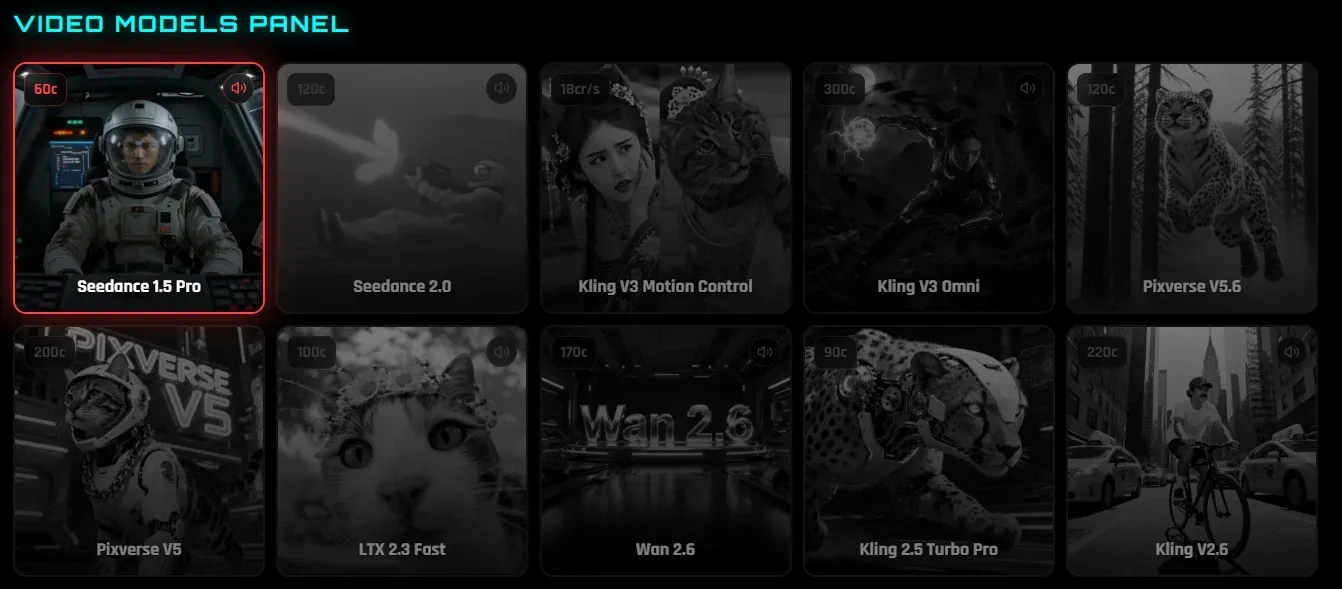
全息人工智能视觉风格生成
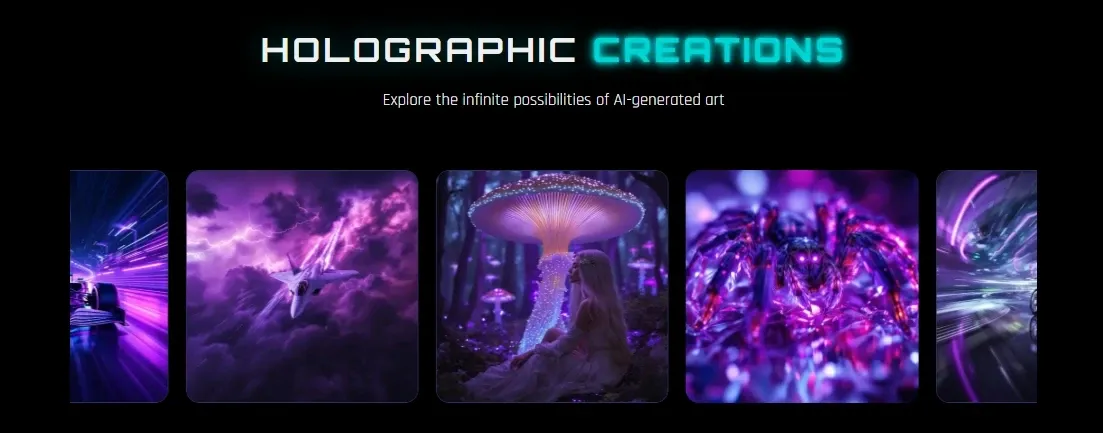
NeonLights AI 强调全息和科幻风格的视觉效果,采用炫彩和高对比度。这些风格可以通过图像转视频或特效应用于视频输出,从而创建出引人注目的视觉内容,使其从普通的写实视频中脱颖而出。
例如,音乐创作者可以为 Spotify Canvas 或 TikTok 制作霓虹风格的循环视频,在增强视觉吸引力的同时,强化未来主义的品牌形象。
NeonLights AI 的真正目标用户是谁?
将自拍或概念图转换成适合TikTok或Instagram的短动画或特效视频。例如,给照片添加“奇幻之旅”特效,然后将其发布为病毒式传播的短视频。
使用图像转视频模型,将静态的AI生成艺术作品转换为短视频。例如,将科幻插画制作成循环播放的动画,用于ArtStation或作品集展示。
根据提示或参考图片,制作简短的产品视觉素材或风格化广告短片。例如,为落地页或付费社交广告制作一段 10 秒的电影式产品预告片。
使用不同的模型和风格,快速将概念转化为短视频。例如,产品团队可以创建新功能或概念流程的可视化演示,用于内部展示或在开发前验证想法。
NeonLights AI vs Higgsfield AI vs TikTV AI
NeonLights AI 专注于短视频生成,支持多模型访问和有趣的视觉效果,使其适合快速创意实验和风格化内容。
Higgsfield AI更倾向于电影级控制,提供预设驱动的工作流程和先进的摄像机技术,以实现更精细的视觉输出。
但这两款工具的功能主要都止步于视频片段生成。TikTV AI更进一步,它将多个模型与结构化的工作流程和TikTV 智能体相结合,将创意转化为完整的、可直接发布的视频,而不是孤立的片段。
NeonLights AI 足以满足真正的视频创作需求吗?
轻松创建视频,设置极简:无需复杂的工具或编辑步骤,即可快速将图像或文本转换为短视频,即使是初学者也能轻松上手。
多模型灵活性,满足不同风格需求:支持各种 AI 视频模型和风格,让用户可以在一个地方尝试电影化、动画化或风格化的输出效果。
强大的视觉效果和创意风格:提供一些 AI 视频特效和霓虹灯风格的视觉效果,无需额外的设计工作即可帮助创建引人注目的社交媒体内容。
视频长度和深度有限:视频输出通常较短(最长约 12 秒),因此不太适合长篇或结构化内容。
缺乏完整的工作流程和编辑控制:侧重于生成和特效,而不是端到端的视频制作,编辑工作量极少,也没有结构化的视频工作流程。
NeonLights AI在AI视频创作领域处于什么位置?
NeonLights AI 介于 AI 艺术生成和短视频创作之间,其定位更像是一个创意游乐场,而不是一个完整的制作工具。
它的优势在于将多种模型与引人注目的视觉风格和现成的效果相结合,这使得它对那些想要快速获得美观输出而无需学习曲线的用户来说极具吸引力。
NeonLights 并不专注于结构化的故事叙述或长篇工作流程,而是强调实验、风格探索和快速内容生成。这使得它更接近于激发灵感和快速迭代的工具,而不是端到端的视频制作工具。
从更广泛的市场来看,它是一种轻量级、视觉驱动的选择——非常适合制作引人注目的短片,但不太适合大规模创建完整的、可发布的视频。
想要观看更多精彩内容?试试TikTV AI!
TikTV AI将多个领先的 AI 模型整合于一体,您可以根据目标进行切换,例如使用Seedance生成流畅的多镜头视觉效果,或使用Veo输出电影级画面。这使您能够在单一工作流程中灵活探索不同的创意方向。
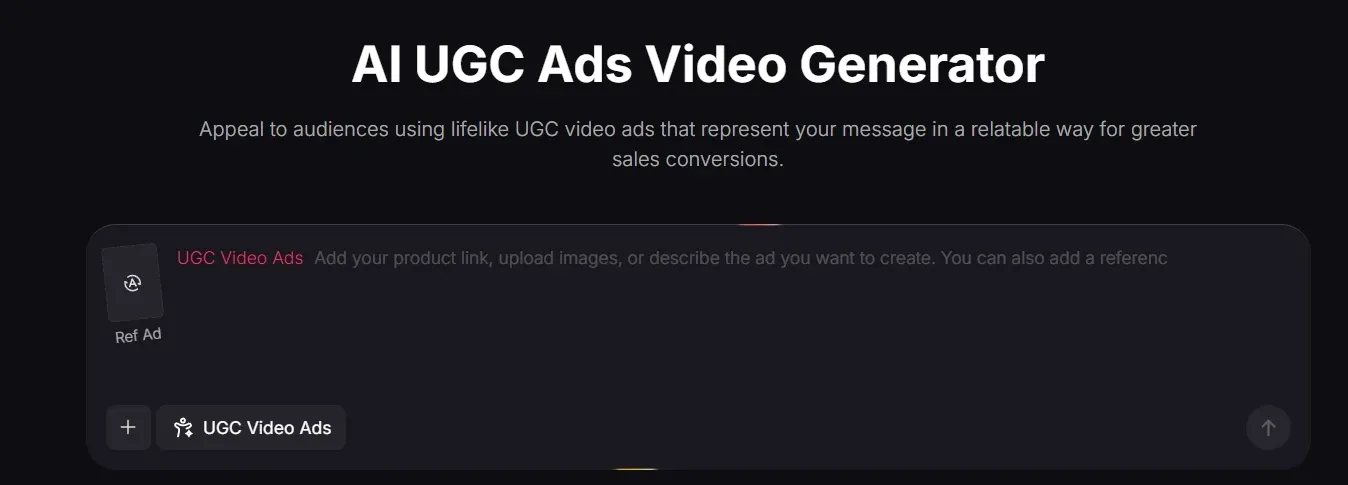
TikTV 智能体基于这些模型构建,能够将想法、链接或图片转化为结构完整、节奏流畅、视觉效果出色的视频,无需手动编辑。例如,营销人员只需粘贴产品 URL,即可立即生成可直接发布的AI 用户生成内容 (UGC) 视频广告。
TikTV AI 的设计也充分考虑了实际工作流程。借助基于场景的视频用例,您可以直接创建AI 视频讲解或克隆视频广告,而无需自行剪辑片段。
TikTV AI不满足于短期输出,而是帮助您制作可直接使用的视频。
在 TikTV AI 探索更多 AI 视频生成器
常见问题解答
NeonLights AI是什么?
NeonLights AI 是一款基于人工智能的图像和视频生成器,它结合了多种模型、电影级视频渲染和基于模板的特效。用户可以使用它将提示或图像转换为短视频,应用风格化的视觉特效,并在同一平台上体验Veo、 Kling或 Pixverse 等不同的模型。它的主要优势在于无需复杂的设置即可快速创建视觉效果惊艳的内容。
NeonLights AI是如何生成视频的?
NeonLights AI 通过将提示信息、图像以及可选的起始帧或结束帧与选定的 AI 模型相结合来生成视频。您只需描述动作或场景行为,选择一个模型,系统就会根据这些输入渲染一段短片。不同的模型可以生成不同风格的视频,从电影级到风格化输出,应有尽有。
使用 NeonLights AI 可以创建哪些类型的视频?
您可以制作短小的电影片段、风格化的动画和特效视频。这些视频通常时长为 4 到 12 秒,更适合用于社交媒体内容、视觉实验或创意故事片段,而不是完整长度的视频。
NeonLights AI 是否适用于时长较长或结构化的视频?
其实不然。NeonLights AI 最适合短片和视觉特效,因此它不太擅长处理多场景叙事或较长的视频结构。如果你想制作一个从头到尾流畅的视频,你可能会感受到它的不足。有些工具在这方面更进一步。例如, TikTV AI可以接收一个想法甚至一个链接,并将其转换成一个完整的视频,场景和节奏都已预先设置好,这样你就不用自己费力拼接片段了。
哪些人应该使用 NeonLights AI?
NeonLights AI 最适合那些想要快速制作视觉效果出色、引人入胜的短片或趣味特效视频的创作者、设计师和营销人员。它非常适合尝试不同的风格或制作短视频内容,而那些希望进行更完整视频制作的用户可能需要寻找功能更全面的工具,而不仅仅是短片生成工具。