Amuse AI视频生成器
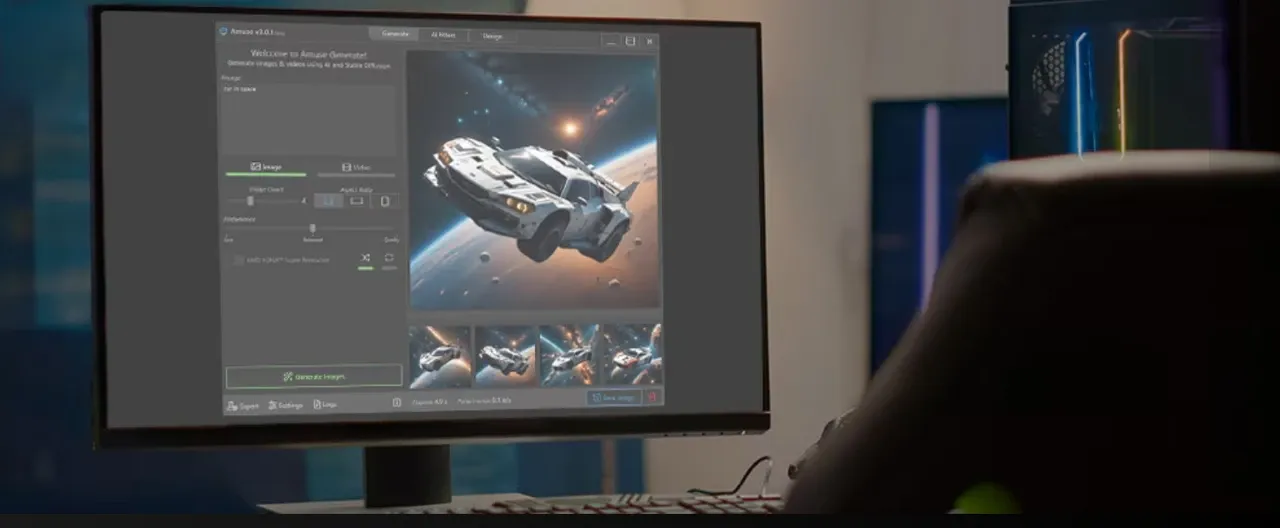
Amuse 利用您电脑的 CPU、GPU 和 NPU 生成图像和短视频,无需网络连接或云订阅。其“简易模式”和硬件优化使其成为生成式 AI 领域独树一帜的产品。虽然 Amuse 在私密、本地生成图像和短片方面表现出色,但在视频的一致性和时长方面却略显不足——TikTV AI可以从零开始构建完整长度、可直接用于发布的视频,无需任何编辑。立即试用TikTV AI !
Key Features of Amuse
Video Restyle : Transforms existing real-world footage into various artistic styles, such as anime, oil painting, or cyberpunk aesthetics.AMD Super Resolution : Enhances the resolution and clarity of locally generated videos and images.Image-to-Video Animation : Converts static AI-generated images into moving sequences, maintaining visual consistency from the first frame.Zero-Dependency Setup : Provides a simplified installer that bundles all necessary libraries (ONNX, DirectML) for immediate local execution.Multi-Model Management : Allows users to download and toggle between various stable and video diffusion checkpoints within a single interface.Paint-to-Video Logic : Enables users to sketch basic shapes that the AI then interprets as motion paths or structural foundations for video.Privacy-Centric Processing : Ensures that every frame generated remains on the local hard drive, with zero data transmitted to external servers.
Video Restyle
Amuse allows creators to import a standard video and apply a complete visual overhaul. By selecting a style like "Comic Book" or "Watercolor," the AI re-renders every frame to match the target aesthetic.
AMD Super Resolution
Integrated with AMD's hardware capabilities, Amuse offers a Super Resolution feature that upscales and enhances the quality of both images and videos generated within the application. This is crucial for local generation, which can sometimes produce "draft quality" outputs, ensuring that the final product meets higher visual standards suitable for sharing or further editing.
Image-to-Video Animation
Amuse allows users to take a high-quality local image and "animate" it. The AI analyzes the depth and subjects within the image to predict natural motion. This is particularly useful for product showcases where a creator wants to add subtle movement to a high-resolution static shot without filming.
Zero-Dependency Local Workflow
One of the biggest hurdles in local AI is the complex environment setup (Python, Git, CUDA). Amuse removes this barrier by providing a unified GUI. Users can manage their model library and generation settings through a familiar Windows-style interface, making local video generation accessible to non-technical users.
Paint-to-Video Interaction
This innovative feature lets users draw a "scribble" and describe what it should become. Amuse AI uses the sketch as a spatial guide for the video generation. This provides a level of directorial control that pure text prompts cannot match, as users can dictate the composition and placement of subjects within the moving frame.
Multi-Model Checkpoint Switching
Because it is built on open-source foundations, Amuse supports a variety of custom-trained models. Users can download specific "flavors" of AI—such as those optimized for photorealism or traditional animation—and switch between them instantly. This versatility is ideal for creators who want to experiment with different "vibes" across a single project.
Total Local Privacy
For industries involving sensitive data or private IP, the offline nature of Amuse is its strongest selling point. No content ever touches the cloud. Every concept, draft, and final export stays within the user's local security perimeter, making it a preferred choice for corporate "sandboxing" of AI concepts.
Amuse AI Product Positioning & Background
Amuse emerged in mid-2024 as a strategic collaboration between AMD and TensorStack AI, a New Zealand-based technology company. Initially launched as a beta program, it was designed to showcase the capabilities of AMD's Ryzen AI processors and Radeon graphics cards.
The market positioning of Amuse is distinctly focused on the "local, private, and free" niche. Unlike cloud-based giants such as Midjourney or Runway, Amuse targets users who prioritize data privacy and zero recurring subscription fees.
The software acts as a bridge between highly technical interfaces like ComfyUI and consumer-friendly cloud apps, offering a simplified GUI for complex local inference tasks.
Use Cases for Amuse AI
The Privacy-First Brand Strategist
Agencies working with unreleased product concepts use Amuse to brainstorm visual styles without the risk of data leaks. Since the generation happens offline, sensitive assets remain secure within the company’s internal network.
The AMD Hardware Enthusiast
Gamers and tech-savvy creators with Radeon RX 7000 GPUs use Amuse to maximize their hardware ROI. They can generate unlimited social media assets and meme content without ever hitting a paywall or waiting for cloud credits to renew.
The Anime and Stylized Content Creator
Creators focusing on video restyling use the local filters to turn daily vlogs into anime-inspired segments. The ability to run local "Video-to-Video" transformations allows for unique aesthetic experiments that would be prohibitively expensive on cloud platforms.
Amuse Review: What Users Actually Say about Amuse AI
Amuse is frequently praised for democratizing local AI generation. Users love the "EZ Mode" which hides the complexity of underlying models, allowing for a one-click generation experience.
However, a significant pain point is the limitation of its video generation. As noted in a detailed PCWorld review, when pushing the video past 10 seconds, "it was clear that the generated art had been fashioned from several clips, and not always of the same thing."
This is a classic "isolated shots" problem. Users find themselves struggling to piece together brief, morphing clips into a story.
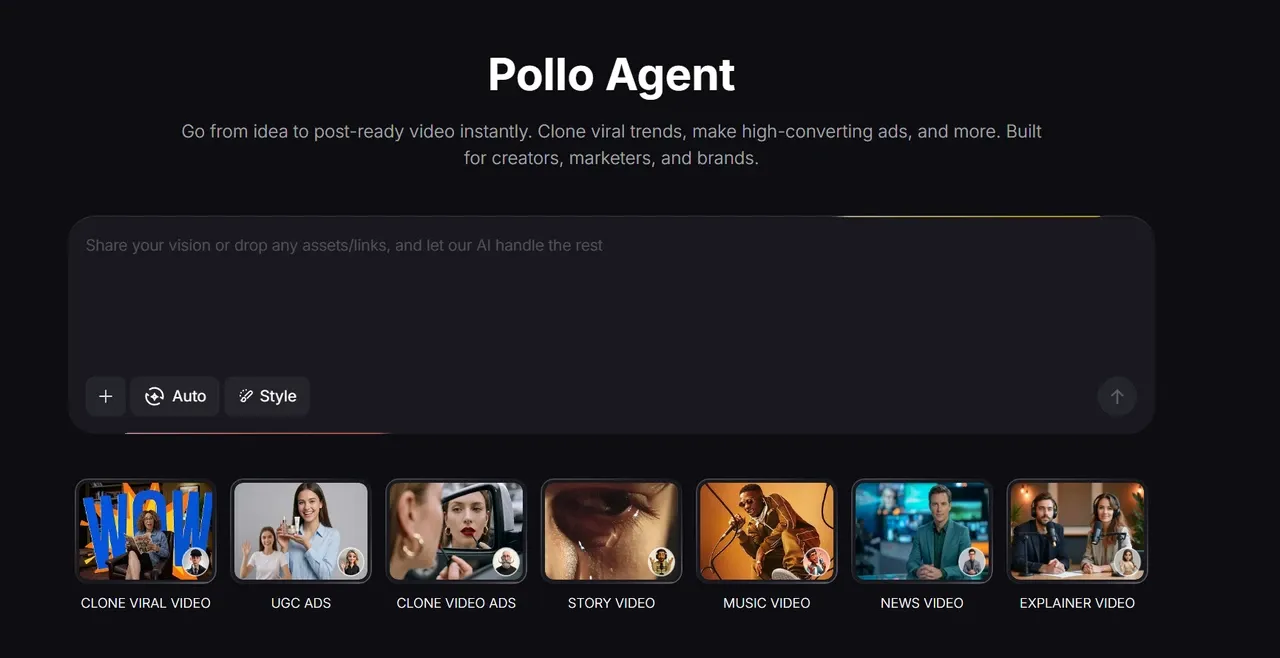
TikTV Agent addresses this inconsistency, which produces stable, repeatable, and full-length narratives. Unlike Amuse, TikTV Agent ensures that characters and environments remain consistent throughout the entire video duration.
Feature Comparison about Amuse vs ComfyUI vs TikTV.AI
| Comparison Factor | Amuse | ComfyUI | TikTV.AI |
| Primary Logic | Local, simplified GUI for consumer hardware. | Highly technical, node-based local generation. | Agentic Generation: Creates full-length videos from scratch. |
| Output Type | Still images and short draft-quality clips. | Complex, highly customized visual assets. | Publication-ready, post-ready videos. |
| Technical Edge | Zero-setup EZ Mode and hardware optimization. | Infinite modularity and developer control. | Contextual Understanding & Multi-model integration. |
| Video Production | Limited to brief, low-resolution snippets. | Requires advanced workflows for video. | Generates cinematic footage directly from prompts. |
| Effort | High manual effort required to stitch clips together. | Extremely steep learning curve. | Zero. The Agent delivers a cohesive narrative. |
视频风格重塑
Amuse 允许创作者导入标准视频并进行全面的视觉改造。通过选择“漫画”或“水彩”等风格,AI 会重新渲染每一帧,以匹配目标美学效果。
AMD 超级分辨率
Amuse 集成了 AMD 的硬件功能,提供超分辨率功能,可提升应用程序内生成的图像和视频的质量。这对于本地生成至关重要,因为本地生成有时会产生“草稿质量”的输出,而超分辨率功能可确保最终产品达到更高的视觉标准,适合分享或进一步编辑。
图像转视频动画
Amuse 允许用户使用高质量的本地图像并为其添加“动画”。其人工智能会分析图像中的深度和主体,从而预测自然的运动。这对于产品展示尤其有用,创作者无需拍摄即可为高分辨率静态照片添加微妙的动态效果。
零依赖本地工作流
本地人工智能面临的最大障碍之一是复杂的环境配置(Python、Git、CUDA)。Amuse 通过提供统一的图形用户界面 (GUI) 消除了这一障碍。用户可以通过熟悉的 Windows 风格界面管理模型库和生成设置,使非技术用户也能轻松进行本地视频生成。
绘画到视频的互动
这项创新功能允许用户绘制“草图”并描述其最终效果。Amuse AI会将草图作为空间引导,用于视频生成。这提供了纯文本提示无法比拟的导演控制力,用户可以决定动态画面中主体的构图和位置。
多模型检查点切换
由于 Amuse 基于开源平台,因此支持各种定制训练的模型。用户可以下载特定“版本”的 AI 模型——例如针对照片级写实或传统动画优化的模型——并即时切换。这种灵活性非常适合希望在单个项目中尝试不同“风格”的创作者。
完全本地隐私
对于涉及敏感数据或私有知识产权的行业而言,Amuse 的离线特性是其最大的卖点。所有内容都不会上传到云端。每个概念、草稿和最终导出都保留在用户的本地安全边界内,使其成为企业对人工智能概念进行“沙盒化”的理想选择。
Amuse AI产品定位及背景
Amuse于2024年中期推出,是AMD与新西兰科技公司TensorStack AI的战略合作项目。该项目最初以测试版的形式推出,旨在展示AMD Ryzen AI处理器和Radeon显卡的性能。
Amuse 的市场定位明确聚焦于“本地、私密、免费”的细分市场。与Midjourney或Runway等云端巨头不同,Amuse 的目标用户是那些重视数据隐私且不希望支付任何订阅费用的用户。
该软件充当了 ComfyUI 等高度技术化的界面和面向消费者的云应用程序之间的桥梁,为复杂的本地推理任务提供简化的 GUI。
Amuse AI的应用案例
代理机构使用 Amuse 来构思尚未发布的产品概念的视觉风格,而无需担心数据泄露。由于生成过程是离线进行的,敏感资产始终安全地保存在公司内部网络中。
拥有 Radeon RX 7000 系列显卡的游戏玩家和技术达人使用 Amuse 来最大化硬件投资回报率。他们可以生成无限量的社交媒体素材和表情包内容,无需付费或等待云积分续订。
专注于视频风格重塑的创作者利用本地滤镜将日常vlog转换成动漫风格的短片。这种本地“视频到视频”的转换功能,使得在云平台上进行成本高昂的独特美学实验成为可能。
Amuse 评测:用户对Amuse AI 的真实评价
Amuse 因其普及本地 AI 生成而备受赞誉。用户尤其喜爱其“简易模式”,该模式隐藏了底层模型的复杂性,只需单击一下即可完成生成。
然而,一个显著的痛点是其视频生成功能的局限性。正如PCWorld的一篇详细评测中所指出的,当视频时长超过10秒时,“很明显,生成的图像是由多个片段拼接而成,而且并非总是同一内容。”
这是一个典型的“孤立镜头”问题。用户会发现自己很难将零散的、不断变化的视频片段拼接成一个完整的故事。
TikTV 智能体解决了这种不一致性问题,从而能够制作出稳定、可重复且完整的故事情节。与Amuse不同,TikTV 智能体确保角色和环境在整个视频时长内保持一致。
Amuse、ComfyUI 和TikTV AI的功能对比

为什么顶级用户纷纷转而使用TikTV AI
生产就绪逻辑
TikTV 智能体理解您的愿景,创建可直接发布的视频——无需手动编辑。
多模式接入
在一个中心枢纽中即可立即使用Sora 2 、 Kling 3.0 、 Veo等产品。
一体化创意
在一个统一的工作流程中,即可使用 100 多种用于换脸和视频放大的工具。
在TikTV AI上探索更多 AI 视频生成器
常见问题解答
Amuse是做什么用的?
Amuse 是一款免费的本地运行 AI 应用程序,允许用户使用 PC 自身的硬件资源生成图像、应用照片滤镜和创建短视频片段。
Amuse需要网络连接吗?
不,它的核心特性之一就是完全离线运行。一旦下载了必要的AI模型,所有处理都在本地完成,从而确保完全的隐私。
Amuse 是否仅适用于 AMD 电脑?
该软件最初是与 AMD 合作开发的,并针对 Ryzen 和 Radeon 硬件进行了优化,但现在它是开源的,可以在各种硬件配置上运行,包括来自其他供应商的硬件。
Amuse 能生成长视频吗?
目前,该软件最适合制作短小精悍的草稿级视频片段。生成较长的视频通常会导致帧与帧之间缺乏一致性和连贯性。
Amuse 中的 EZ 模式是什么?
简易模式是专为初学者设计的简化版用户界面。它移除了复杂的设置,用户只需输入文本提示即可生成AI艺术作品,无需任何技术知识。
我可以在Amuse中使用自己的照片吗?
是的,该软件包含照片 AI 滤镜和视频重制等功能,允许您上传自己的图像或视频素材,并对其应用各种风格的 AI 变换。
Amuse的硬件要求是什么?
由于该程序在本地运行,因此需要一台配置相对较高的电脑。为了获得最佳性能,强烈建议使用配备充足显存(VRAM)的独立显卡,或配备神经处理单元(NPU)的新型人工智能处理器。