PixVerse AI Venom
The Effect feature is a standout capability of the PixVerse AI platform, enabling you to transform static images into dynamic videos. Released in November, 2024, this effect lets you transform anyone into Venom or even summon a Venom buddy as your friend. Explore each one of them below now!
Main Highlights
We Are Venom!: By simply uploading a photo, whether of a person or an animal, this effect applies a dramatic transformation that captures the iconic features of Venom.
Get a Venom Buddy: With an image and providing a text prompt, you can summon Venom into various scenarios, making it appear as if he is interacting with you.
Who is Venom?: Using a photo showcasing two people, this effect will transform one of them into a real Venom, surprising and captivating your audience.
Image and Prompt Combination: This video generator lets you upload an image and refine it further with detailed text prompts, giving you the flexibility to create Venom-themed videos just the way you want.
User-Friendly Interface: This platform offers an intuitive user interface that simplifies the process of uploading images and applying different Venom effects, making it accessible for users of all skill levels.
We Are Venom!
This video effect transforms your uploaded image into striking, otherworldly visuals. Utilizing advanced algorithms, it turns the subject into a vivid Venom character, infusing your visuals with dark, surreal elements reminiscent of comic book aesthetics. It brings an edgy, dynamic flair, perfect for anyone looking to express their inner anti-hero.
(Prompt: Transform into a BLACK Venom.)
Get a Venom Buddy
With just an image and a detailed text prompt, your Venom buddy suddenly appears, wrapping you in a surprisingly affectionate hug. This unexpected interaction adds a playful twist to the Venom character, revealing a softer side beneath his menacing exterior. As you embrace, the blend of excitement and warmth creates an unforgettable experience.
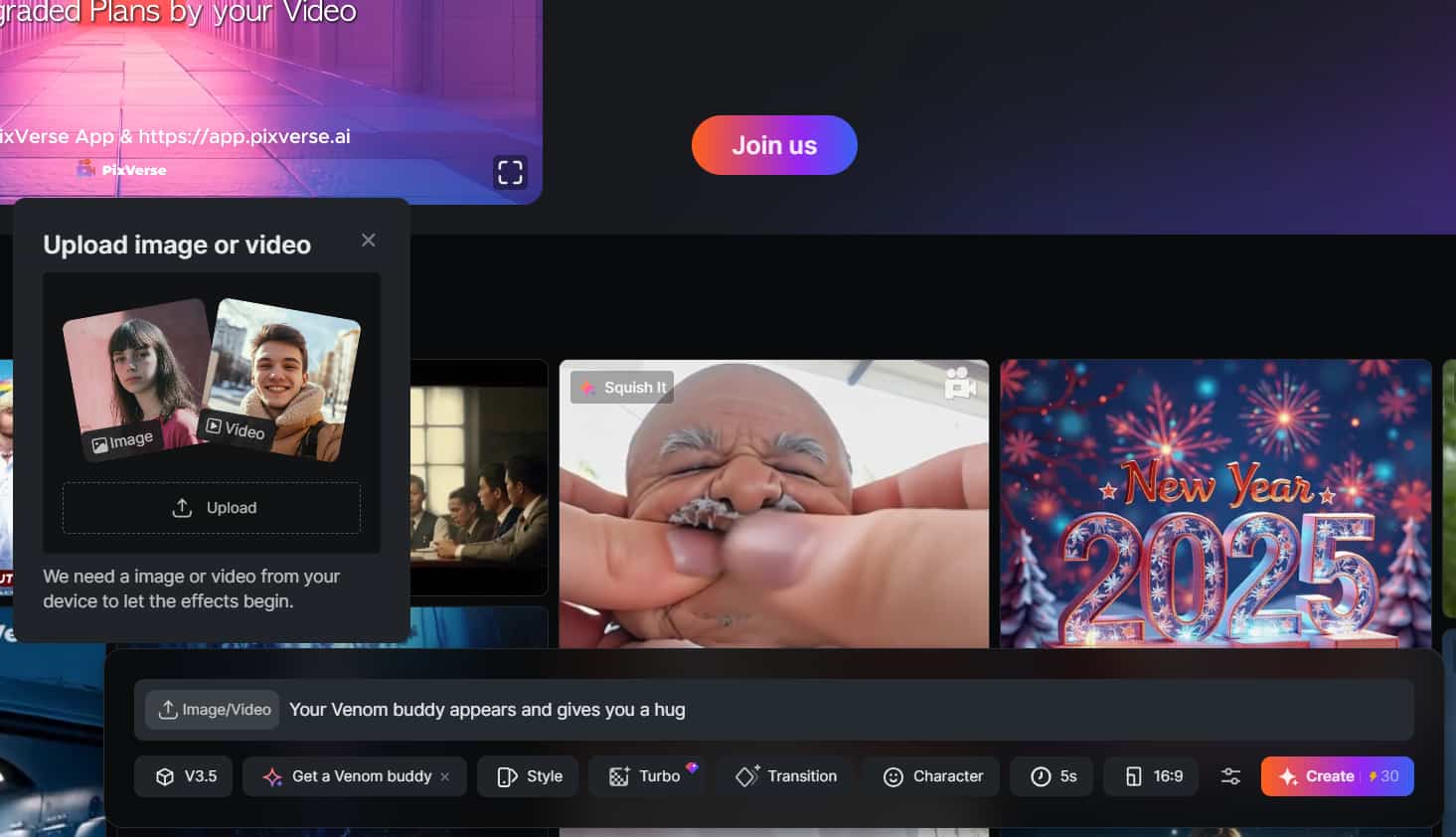
(Prompt: Your Venom buddy appears and gives you a hug.)
Who is Venom?
By using a photo featuring two people, this video effect can seamlessly transform one of them into a genuine Venom, leaving your audience both surprised and captivated. This striking visual change adds an exciting element, inviting everyone to engage more deeply with the scene and igniting their curiosity.
(Prompt: Turn the girl on the right into a real Venom and hug each other.)
Image and Prompt Combination
By pairing a striking image with thoughtful text prompt instructions, this method facilitates dynamic visual storytelling. Users are encouraged to immerse themselves in a harmonious blend of visuals and ideas, igniting creativity and enriching the overall effectiveness of visual content.
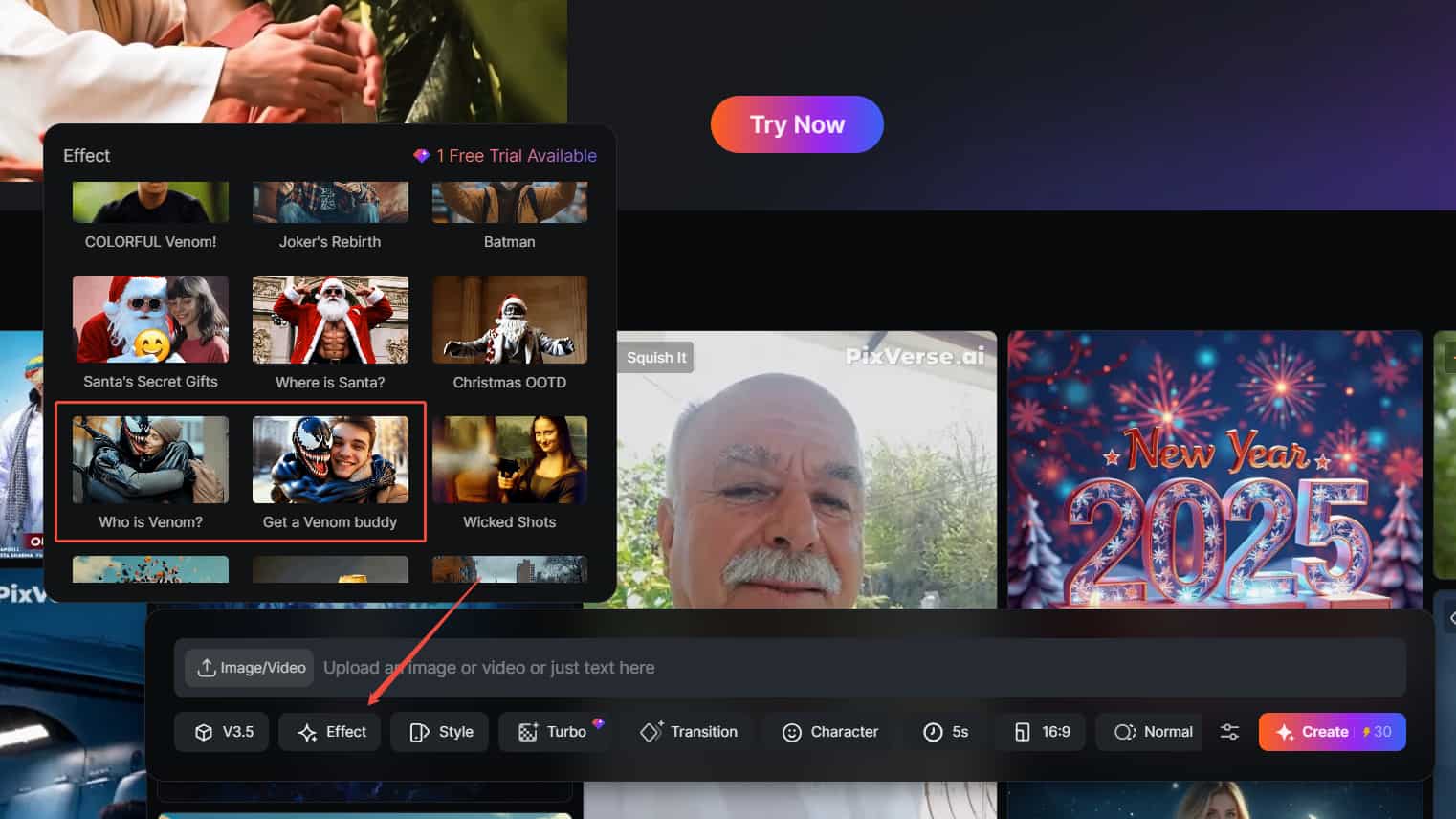
User-Friendly Interface
Once you log in with your email account, you will see a dashboard at the bottom of your screen. Simply click on Effect to explore various effects for creating engaging videos. Here, you will find the Venom-related effects discussed above, along with other effects in a variety of styles.
PixVerse AI Venom Effects Reviews on YouTube
Other Reviews on X
🕸️ Just tried the new "We Are Venom" effect on @PixVerse_—it’s epic!What do you think of this transformation? 👀Sorry Kamala Harris pic.twitter.com/d3hAexLp5I — Amira Zairi (@azed_ai) November 1, 2024
🕸️ Just tried the new "We Are Venom" effect on @PixVerse_—it’s epic!What do you think of this transformation? 👀Sorry Kamala Harris pic.twitter.com/d3hAexLp5I
👾 First test with the brand new We Are Venom effect that just dropped on @PixVerse_ a few hours ago! 🔥 pic.twitter.com/D3bmz4fR1N — Pierrick Chevallier | IA (@CharaspowerAI) November 1, 2024
👾 First test with the brand new We Are Venom effect that just dropped on @PixVerse_ a few hours ago! 🔥 pic.twitter.com/D3bmz4fR1N
WE ARE VENOM! Hot effect on @PixVerse_ 🤩#PixVerse #pixverse #venom #i2v #ai pic.twitter.com/rEizuhHZhA — max casu (@MaxCasu) November 1, 2024
WE ARE VENOM! Hot effect on @PixVerse_ 🤩#PixVerse #pixverse #venom #i2v #ai pic.twitter.com/rEizuhHZhA
Experience More Powerful Venom Effects With TikTV AI
While PixVerse AI is popular for its video effects, it does have some limitations. One of them is that sometimes it can take too long to create a single video. Additionally, there are instances where the final video output does not align with the provided text prompts, leading to discrepancies that can detract from the intended vision.
With TikTV AI’s templates library, you can explore more than 40 video templates and effects, ensuring a smoother video generation process. You can find the same popular AI Venom effects here, with improved video output quality and a better understanding of your input text prompts. Other popular video templates are also available, such as AI kissing, AI hug and AI squish effect.
Let’s take a closer look at each one of the AI Venom video effects:
With TikTV AI’s cutting-edge technology, the transformation process ensures that every detail is captured, from the deep black skin to the piercing white eyes. Just prepare to be amazed by the high-quality output our tool delivers.
By inputting customizable text prompts, you can adjust the video style and any elements to fit your creative vision. This enables you to create an AI Venom video that truly reflects your personal flair.
Using TikTV AI, you can transform any image into a heartwarming AI video that summons Venom buddy and shows him off as your best friend. All it costs is a few simple steps and you can definitely surprise your audiences into believing that you know Venom personally.
Best Tips for Generating AI Venom Effects Video
Kick things off by selecting a clear, high-quality image that you want to transform into an AI Venom effects video. The better the uploaded image, the cooler the final result will be.
Don’t hesitate to experiment with just images and text prompts. Try out various styles or adjust settings such as video length and aspect ratio to see what unique results you can achieve.
Remember to keep your prompts simple and avoid any unnecessary terms or words. You can also use negative prompts to exclude unwanted elements.
Avoid being too specific about the subject’s movement, as current large AI video models may not fully understand detailed instructions.
Once you have your AI Venom videos, download them and share them on social media. Everyone loves a good effects video, so get ready for some reactions from your audience.

How to Try PixVerse AI Venom Effect on TikTV AI
Access to the Venom Effect
Go to AI Venom transformation video effect on TikTV AI.
Upload Image
Upload your image and select other advanced settings.
Create Video
Click Create to start the video generation process.
FAQs
Is PixVerse AI free to use?
Yes, PixVerse AI offers a basic version that includes limited features. For full access to all features such as watermark-free and faster video generation speed, a premium upgrade is a must.
What types of images work best for the AI Venom effect?
For optimal video results, it is recommended to use high-quality, clear images that show facial details perfectly.
How do I download my final effect videos?
Once your video is successfully generated, you can directly download it in standard formats like MP4, ensuring compatibility with various platforms. However, with a basic plan, your video will include a watermark in the top right corner.
Can I share my Venom effect videos on social media?
Absolutely! Once you have downloaded your Venom video, you can easily share it across various social media platforms such as Instagram, TikTok and Facebook. The download formats are perfectly suited for all these platforms.
Try AI Venom Effects for Free on TikTV AI